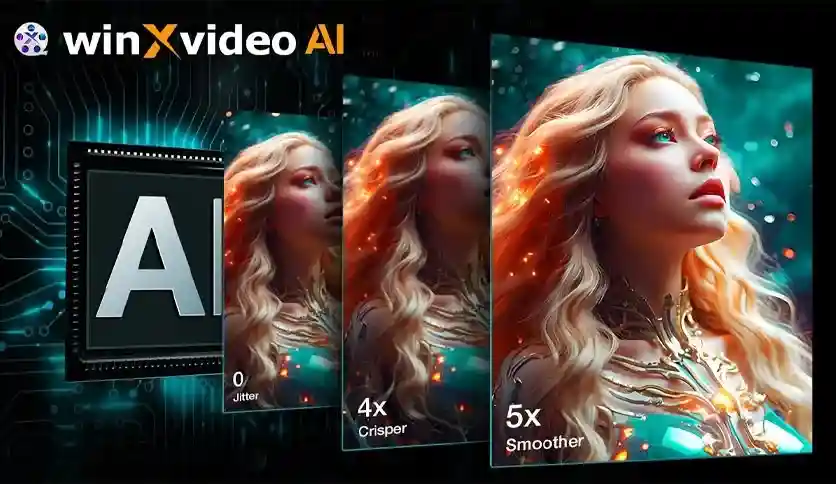
Digiarty Winxvideo AI is a comprehensive video and image enhancement software designed for Windows users who want to transform ordinary media into cinematic-quality content. Powered by CineAI technology, this software combines upscaling, stabilization, conversion, compression, recording, and editing tools into a single platform. Whether you are a content creator, videographer, or someone looking to restore old family recordings, Winxvideo AI provides the tools needed to elevate your visual media to professional standards.
Winxvideo AI addresses a wide range of video and image quality challenges. Content creators can produce cinematic-quality visuals without expensive hardware. Home users can rediscover old recordings in a refreshed, high-definition format. Professionals can stabilize handheld footage, enhance low-quality videos, and deliver polished results efficiently. The software’s GPU-accelerated processing ensures fast turnaround times even for demanding tasks like 4K/8K upscaling and batch processing.
Winxvideo AI serves a variety of use cases. Videographers and content creators can enhance raw footage, stabilize shaky clips, and upscale videos to 4K or 8K for YouTube, streaming platforms, or client deliverables. Families and hobbyists can restore old home movies from VHS, DVD, or Mini DV formats, bringing cherished memories back to life in high definition. Professionals can use the screen recorder and video editor to produce presentations, tutorials, and marketing content. AI artists can upscale and enhance generated images for print or digital display.
Unlike basic video converters or standalone stabilization tools, Winxvideo AI consolidates multiple media enhancement capabilities into one software. Its CineAI technology delivers intelligent upscaling and quality improvement that goes beyond simple pixel interpolation. From restoring decades-old recordings to creating 8K cinematic content, the software adapts to diverse needs without requiring advanced technical expertise. The inclusion of editing and recording tools means you can complete your entire workflow within a single application.
What is Winxvideo AI?
Winxvideo AI is a Windows-based software that enhances, upscales, stabilizes, converts, compresses, and edits videos and images using AI-powered technology.
Can Winxvideo AI upscale videos to 4K or 8K?
Yes. The software uses CineAI technology to upscale videos and images to 4K or 8K resolution, producing crystal-clear high-definition results.
Can it restore old VHS or DVD recordings?
Yes. Winxvideo AI can convert low-resolution content (480P) from formats like VHS, DVD, and Mini DV to high definition (1080P/4K), increase frame rates, and restore overall video and image quality.
Does Winxvideo AI support GPU acceleration?
Yes. The software fully supports GPU acceleration for faster conversion, compression, and enhancement processing. A compatible NVIDIA graphics card (GeForce GTX 1050 or higher with 2 GB VRAM) is required.
What Windows versions are supported?
Winxvideo AI is compatible with Windows 7, Windows 8, Windows 10, and Windows 11 (64-bit only).
Whether you need to upscale videos to 8K, stabilize shaky footage, restore old recordings, or convert and compress media files, Digiarty Winxvideo AI provides a complete solution for Windows users. Its AI-driven enhancement tools, combined with editing and recording capabilities, make it a versatile choice for creators, professionals, and anyone looking to improve their visual content.
Enhance, upscale, and transform your videos and images with Digiarty Winxvideo AI. This AI-powered software for Windows delivers cinematic-quality results with upscaling to 4K/8K, stabilization, conversion, compression, and editing tools.Upscale videos and images to 4K or 8K resolutionStabilize shaky footage for smooth playbackConvert and compress audio and video filesRestore old VHS, DVD, and Mini DV recordingsEdit, trim, and record video with built-in tools
From multipurpose themes to niche templates