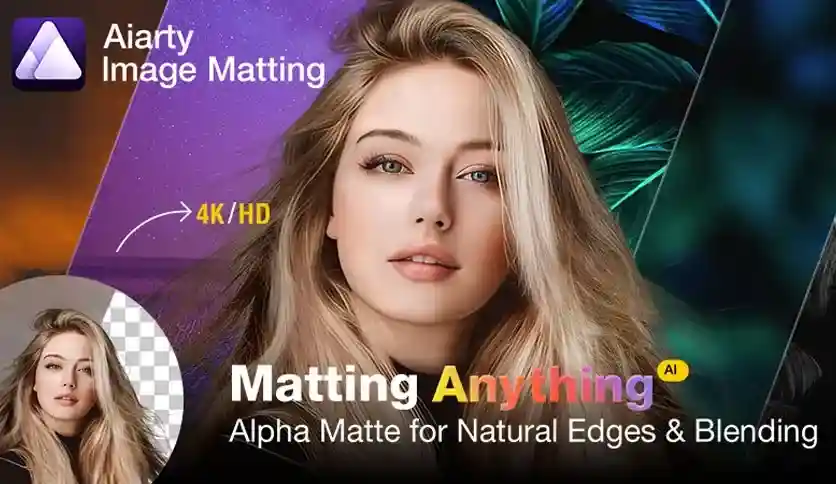
Digiarty AIarty combines two essential image editing capabilities into a single Windows application: professional-grade AI image matting and intelligent photo enhancement. Whether you are removing backgrounds from product photos, isolating delicate semi-transparent objects, or upgrading image quality, this software handles it all with minimal manual effort.
Built on deep convolutional neural networks, the tool delivers precise edge detection and natural-looking results even in challenging scenarios involving complex patterns, low lighting, or fine details like lace, glass, and water droplets.
E-Commerce: Quickly replace product photo backgrounds with clean white or custom colors in bulk, preparing thousands of listings efficiently.
Photography: Remove distracting backgrounds, enhance low-light shots, and improve overall image quality for portfolios and client deliverables.
Graphic Design: Isolate complex subjects with intricate details for compositing, advertising, and creative projects.
Social Media & Content Creation: Produce polished, professional visuals with minimal effort for online platforms.
Most image editing workflows require separate tools for matting and enhancement. Digiarty AIarty unifies both capabilities, reducing software costs and streamlining your process. The AI-driven approach means less time spent on manual selections and adjustments, and more time delivering polished results. With batch processing support for up to 3,000 images, it is equally suited for individual creatives and high-volume e-commerce operations.
Does AIarty support batch processing for product images?
Yes. The software can process up to 3,000 images simultaneously, making it ideal for e-commerce product photo workflows.
Can it handle semi-transparent objects like glass or lace?
Yes. The AI algorithms are specifically designed to capture fine details and translucency in materials such as lace, glass, and water droplets.
Is manual editing experience required?
No. The intuitive interface and AI automation allow users with minimal editing experience to achieve professional results.
What Windows versions are supported?
Digiarty AIarty runs on Windows 10 and Windows 11.
Can I replace backgrounds with custom effects?
Yes. You can replace backgrounds with transparency, solid colors, blur effects, or other custom visuals.
Digiarty AIarty Image Matting & Enhancer is a comprehensive Windows solution for anyone who needs reliable AI-powered background removal and image enhancement. From delicate semi-transparent subjects to high-volume e-commerce batch processing, this tool delivers professional results with minimal effort. Try it today and transform the way you edit images.
Combine professional AI image matting and photo enhancement in one powerful Windows tool. Digiarty AIarty simplifies background removal, semi-transparent object isolation, and image quality improvement — all with advanced AI algorithms.AI-powered matting for complex textures, lace, glass, and semi-transparent objectsBatch process up to 3,000 product images simultaneouslyLow-light and low-contrast image isolation with noise reductionAI image enhancement with automatic detail sharpening and color adjustmentIntuitive interface suitable for designers, photographers, and e-commerce usersAlpha high-precision edge control for hair, fur, and fine details
From multipurpose themes to niche templates