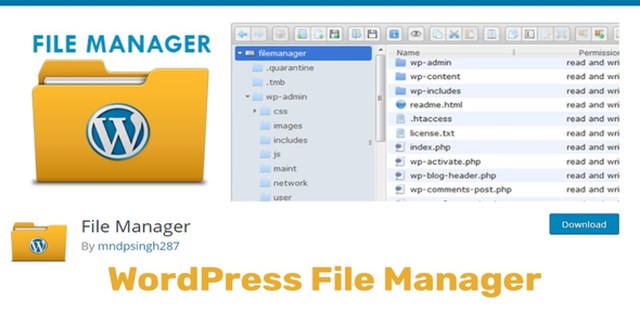
WP File Manager PRO is a comprehensive WordPress plugin designed to simplify file management for website owners, developers, and content managers. Instead of relying on FTP clients or navigating cPanel, you can handle all file operations directly within the WordPress admin area. With a clean, user-friendly interface, this plugin makes it easy to edit, delete, upload, download, copy, and paste files and folders—saving you time and reducing the hassle of traditional file management methods.
Using WP File Manager PRO delivers measurable improvements to your daily workflow. By centralizing file management inside WordPress, you increase productivity by performing tasks quickly without switching between multiple tools. The plugin enhances security by reducing the risk of errors through a controlled, centralized system. Better organization keeps your files and folders neatly arranged and easily accessible, while time savings come from avoiding the complexity of FTP or cPanel. Ultimately, you maintain greater control over your website’s files, improving overall site management.
WP File Manager PRO is ideal for anyone who needs to manage files on a WordPress site. Whether you’re updating theme files, editing plugin configurations, uploading media, or organizing downloads, this plugin provides a straightforward solution. It’s particularly useful for website administrators who want to avoid technical FTP setups, developers who need quick access to file editing and management, content creators who frequently upload or organize files, and anyone looking to simplify routine file maintenance tasks.
WP File Manager PRO stands out for its simplicity and convenience. By bringing file management directly into the WordPress dashboard, it removes common barriers and makes file operations accessible to a wider audience. The plugin is designed to enhance your workflow, improve organization, and give you peace of mind with a more secure and error-resistant approach to file handling. If you’re tired of juggling FTP clients or wrestling with cPanel, this plugin offers a modern, streamlined alternative.
Do I need FTP or cPanel to use this plugin?
No. WP File Manager PRO is designed to eliminate the need for FTP or cPanel. You can manage all your files directly from the WordPress admin area.
What file operations can I perform?
You can edit, delete, upload, download, copy, and paste files and folders, all from an intuitive interface.
Is this plugin suitable for beginners?
Yes. The plugin features a simple and elegant interface that is easy to use even for beginners.
How does this plugin improve my workflow?
By centralizing file management in WordPress, it saves time, reduces the risk of errors, and increases productivity.
Can I use it to update theme and plugin files?
Yes. The plugin supports updating theme files and editing plugin configurations directly within the dashboard.
WP File Manager PRO is an essential tool for anyone looking to take control of WordPress file management. Its user-friendly design, combined with powerful features, makes it a valuable addition to any website. Say goodbye to FTP hassles and cPanel complexity—manage your files efficiently and securely with WP File Manager PRO.
Take full control of your WordPress files without FTP or cPanel. WP File Manager PRO lets you edit, upload, download, copy, and organize files directly inside your dashboard—saving time and reducing errors. Direct file editing from the WordPress admin area Complete upload, download, copy, and delete operations No FTP or cPanel access required Intuitive interface for beginners and developers Centralized file management for better organization
From multipurpose themes to niche templates