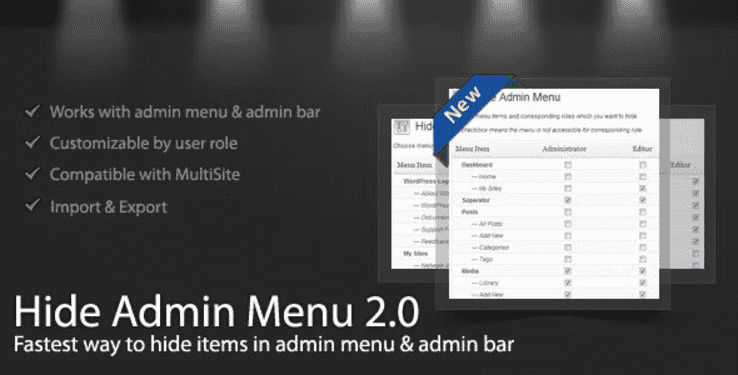
The WordPress Hide Admin Menu plugin gives you complete control over what appears in the WordPress admin area for each user role. Whether you manage client websites, coordinate a team of contributors, or simply want to reduce dashboard clutter, this plugin lets you hide specific admin menu items and admin bar links with a few clicks.
Instead of exposing every available option to every user, you can create a tailored admin experience that shows only what each person needs. The result is a cleaner dashboard, fewer accidental misconfigurations, and a more professional experience for clients and team members alike.
This plugin is ideal for agencies, freelancers, and website owners who manage multiple user accounts. Common use cases include:
Setting up the plugin is straightforward. Simply check the boxes next to the menu items and admin bar links you want to hide, select the corresponding user roles, and save your changes. Your simplified menu is live immediately—no caching to clear, no code to modify, no additional configuration steps.
Managing user access in WordPress doesn’t have to be complicated. This plugin offers a clean, no-fuss approach to hiding admin menu items and admin bar links. There’s no steep learning curve, no configuration headaches—just a straightforward interface that gets the job done. If you want to simplify your WordPress admin area and give each user a tailored experience, this is the tool you need.
Does this plugin require coding knowledge?
No. The plugin uses a simple checkbox interface. Select the menu items and user roles you want to modify, then save your changes.
Can I hide both menu items and admin bar links?
Yes. You can control visibility for admin menu items and admin bar links independently based on user roles.
Will hidden items still be accessible via direct URL?
The plugin hides menu items and admin bar links from the interface. Direct URL access may still work depending on your WordPress setup and other security measures in place.
Can I hide specific pages like Settings or Account Details?
Absolutely. You can hide essential menu items such as the Settings page, Account Details page, and any other menu or sub-menu item from specific user roles.
Is this plugin suitable for client websites?
Yes. It’s one of the most popular use cases. By removing unnecessary options, clients get a cleaner, less intimidating dashboard that keeps them focused on what matters.
Simplify your WordPress admin area and take control of the user experience. The WordPress Hide Admin Menu plugin makes it easy to hide unnecessary menu items and admin bar links based on user roles, giving you a more secure, streamlined, and professional dashboard for your clients and team. Install it today and discover a better way to manage your WordPress website.
Take full control of your WordPress admin area with the Hide Admin Menu plugin. Hide unnecessary menu items and admin bar links by user role using a simple checkbox interface—no coding required.Hide admin menu items and admin bar links by user roleSimple checkbox interface—no coding neededSimplify client dashboards and reduce confusionRestrict access to sensitive settings and account pagesStreamline team access with role-based visibility control
From multipurpose themes to niche templates