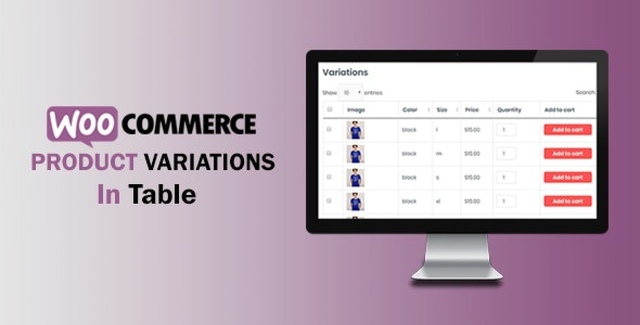
The WooCommerce Variations In Table plugin by Xpertsclub is a WordPress plugin designed to replace the standard dropdown-style product variation selector on WooCommerce single product pages with a clear, easy-to-navigate table format. If your store offers products with multiple variations and you want to give shoppers a faster, more visual way to browse and select options, this plugin provides that flexibility.
Instead of clicking through dropdown menus one at a time, customers see all available variations laid out in a structured table with columns for checkbox selection, variation image, SKU, attributes, price, quantity, and an add-to-cart button. This streamlined experience makes it easier for shoppers to compare options and add products to their cart, which can lead to improved conversion rates.
Once installed and activated, the WooCommerce Variations In Table plugin replaces the standard dropdown product variation selector on your WooCommerce single product pages with a table format. You configure the plugin through the admin settings, where you can define the table title, choose the display position, control which columns appear, and enable features like sorting, search, pagination, and responsive design. On the front end, customers see all available product variations organized in an easy-to-read table, where they can select options, set quantities, and add items to their cart directly from the table.
Many WooCommerce stores struggle with product pages that offer numerous variations, as dropdown menus can be confusing and time-consuming for shoppers. The WooCommerce Variations In Table plugin solves this problem by presenting all variations in a structured, visual table. Store owners get full control over the layout and features, while customers enjoy a faster, more intuitive shopping experience. With a GPL license, unlimited domain usage, and lifetime updates, this plugin offers strong long-term value for WooCommerce store owners.
This plugin replaces the default WooCommerce dropdown variation selector on single product pages with a customizable table format that displays all product variations in columns, making it easier for customers to browse and select options.
Yes. The admin settings allow you to show or hide all columns in the variation table, including checkbox, image, SKU, attributes, price, quantity, and add-to-cart button.
Yes. You can enable or disable table responsiveness from the admin settings to ensure the variation table displays well on mobile devices.
This plugin is distributed under the GPL (General Public License) with unlimited domain usage and lifetime manual updates.
Yes. The admin settings include an option to show or hide the default WooCommerce variations dropdown box, so you can choose whether to keep it alongside the table.
If you run a WooCommerce store with products that offer multiple variations, the WooCommerce Variations In Table plugin by Xpertsclub provides a practical and customizable solution for presenting those options to your customers. With a clean table layout, full admin control over display settings, responsive design support, and a GPL license with lifetime updates, this plugin is a solid addition to any WooCommerce site looking to improve the product variation shopping experience.
Replace WooCommerce dropdown variations with an easy-to-browse table format on your single product pages. The WooCommerce Variations In Table plugin lets customers quickly view and select product variations, potentially boosting conversions.Displays variations in a customizable table with columns for image, SKU, attributes, price, quantity, and add to cartControl table position, column visibility, title, sorting, search, and paginationResponsive table option for mobile-friendly shoppingGPL license with unlimited domain usage and lifetime manual updatesClean, virus-free files — version 3.34.2