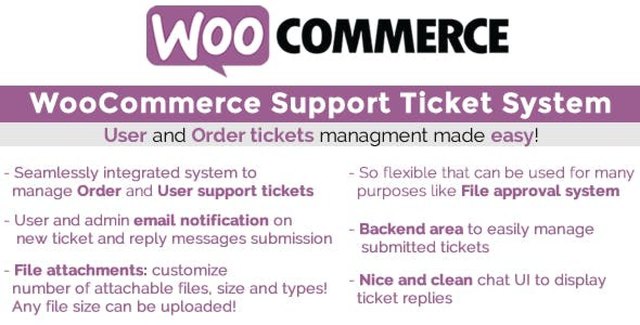
The WooCommerce Support Ticket System (WCSTS) is a WordPress plugin that extends your WooCommerce store with a comprehensive customer support ticket management solution. By integrating directly with your existing WooCommerce installation, WCSTS gives customers a dedicated way to submit, track, and manage support tickets — while giving store administrators a centralized backend area to handle inquiries efficiently.
Whether your customers need help with a specific order, have a general account-related question, or want to purchase paid support sessions, WCSTS provides the structure and tools to handle it all from one unified system.
[wcsts_ticket_area] and [wcsts_pay_per_ticket_area] to display ticket areas on any frontend page that supports shortcodes.WCSTS operates through three distinct ticket types, each designed for a different support scenario.
Order Tickets appear automatically on every frontend order details page (My Account → Orders → Select any order). From this dedicated ticket area, customers submit new support requests related to that specific order, read administrator responses, and send follow-up messages. Administrators manage these tickets from the backend, with optional email notifications for both parties.
User Tickets display on the My Account page under a dedicated tab (customizable via the Texts menu). Users must be logged in to access this area. They support message threads, file attachments, and optional email notifications. You can also display this ticket area on any frontend page using the [wcsts_ticket_area] shortcode.
Pay-Per-Ticket lets you assign a specific number of questions to any product or variation. When a customer purchases that product and the order is paid or marked as completed, the plugin automatically opens a special pay-per-ticket with the corresponding number of questions. The quantity purchased directly affects the total questions available. Once questions reach zero, the ticket automatically closes.
WCSTS is ideal for WooCommerce store owners who want to provide structured, trackable customer support. It works well for stores that handle complex orders requiring follow-up, businesses that offer paid consultation or Q&A services, and any store looking to move customer support away from scattered email threads into a centralized system.
The pay-per-ticket feature is especially useful for stores offering expert advice, technical support packages, or consultation services as purchasable products. By linking questions to product purchases, you create a clear, automated support workflow that scales with your business.
WCSTS is designed to work with WooCommerce. For stores using WooCommerce Subscriptions, the plugin resets the number of questions associated with a pay-per-ticket each time a subscription renewal occurs. If an order is deleted, marked as failed, cancelled, or refunded, the associated pay-per-ticket is also removed automatically. Pay-per-tickets are created based on order payment status, not subscription status.
To receive automatic updates, install and configure the Envato Market plugin. This ensures your WCSTS installation stays current with the latest features and improvements.
WCSTS supports three ticket types: Order Tickets (linked to specific orders), User Tickets (general inquiries for logged-in users), and Pay-Per-Ticket (paid support sessions linked to purchased products or variations).
Store administrators assign a number of questions to any product or variation. When a customer purchases that product and the order is paid or completed, the plugin automatically opens a pay-per-ticket with the assigned number of questions. The quantity purchased multiplies the available questions. Once questions reach zero, the ticket closes automatically.
Yes. The plugin supports file attachments on tickets, allowing customers to include relevant documents or screenshots with their support requests.
Yes. When a subscription renewal occurs, the plugin resets the number of questions for the associated pay-per-ticket. Pay-per-tickets are created based on order payment status, not subscription status.
Install and configure the Envato Market plugin to receive automatic updates for WCSTS. Follow the official Envato Market plugin configuration guide for setup instructions.
The WooCommerce Support Ticket System plugin gives your store a professional, organized approach to customer support. With support for order tickets, user tickets, and a unique pay-per-ticket model, WCSTS helps you streamline communication, improve response times, and create new revenue streams from support services. If you are looking to take your WooCommerce store’s customer support to the next level, WCSTS provides the tools to do it efficiently.
Elevate your WooCommerce store's customer support with a dedicated ticket management system. WCSTS lets customers submit and track support tickets for orders and general inquiries — all from the frontend. Three ticket types: order, user, and pay-per-ticket Centralized admin backend for managing all tickets Optional email notifications and file attachments Flexible shortcodes for custom frontend placement Customizable text and display settings
From multipurpose themes to niche templates