Most WooCommerce stores force shoppers to navigate through dropdown menus and step-by-step selectors just to choose a product variation. This plugin flips that experience entirely. By displaying each variation as its own unique product listing, your store mirrors the approach used by Amazon and other major retailers—giving customers a cleaner, faster path to purchase.
Whether you sell clothing with multiple sizes and colors, electronics with different configurations, or any product with several variants, this WordPress plugin turns every variation into a distinct, searchable page that customers can browse, view, and buy directly.
Better User Experience: When customers can see and select variations without navigating complex dropdowns, they spend less time figuring out your store and more time making purchases. The streamlined experience reduces friction at every step.
Higher Conversion Rates: Direct purchasing options mean fewer clicks between product selection and checkout. When it takes less effort to buy, customers are more likely to complete their purchase.
Improved Search Visibility: Each variation becomes its own page with unique content, giving search engines more opportunities to rank your store. The increased internal linking between variations also strengthens your site structure and helps distribute page authority across your product catalog.
Professional Store Appearance: Presenting variations as individual products elevates the look and feel of your WooCommerce store, matching the polished experience customers expect from major online retailers.
This plugin is ideal for any WooCommerce store that sells products with multiple variations. Common use cases include:
Simply install the plugin, configure your settings, and your variable products will automatically display as individual listings across your store and category pages.
Unlike generic WooCommerce extensions that add features without improving the core shopping experience, this plugin tackles a fundamental UX problem—clunky variation selection—and solves it with a proven approach. Major retailers have used this model for years because it works. Now you can bring the same strategy to your WooCommerce store without any custom development.
With clear documentation and a setup video included, getting started is straightforward regardless of your technical experience level.
Instead of showing a single variable product page with dropdown selectors, each variation gets its own unique product page. Customers browse and purchase variations the same way they would any other standalone product.
Yes. Variations are displayed individually not only on single product pages but also across your WooCommerce category and shop archive pages.
Yes. Each variation becomes a uniquely addressable page, increasing your total indexed pages and creating additional internal links between related products. This can improve your organic search visibility over time.
No. The plugin comes with easy-to-follow documentation and a setup video to guide you through the configuration process.
Absolutely. Shoppers can add any variation to their cart with a single click, skipping the multi-step selection process that variable products typically require.
If your WooCommerce store sells products with multiple variations, this plugin offers a simple but powerful upgrade to your product display and purchasing flow. By presenting each variation as its own product, you create a smoother shopping experience, improve your SEO footprint, and give customers the direct, frictionless path to purchase that they expect from leading online retailers. Install it today and see the difference it makes for your store.
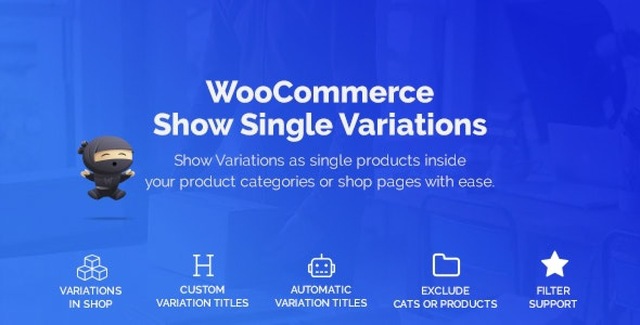
Transform your WooCommerce variable products into individual listings, just like Amazon. Let customers view and purchase each variation directly—no dropdown selectors required.Display each variation as a standalone product pageCustomers add variations to cart with a single clickBoost SEO with more indexed product pages and internal linksWorks on product pages and category archivesEasy setup with full documentation and video guide
From multipurpose themes to niche templates