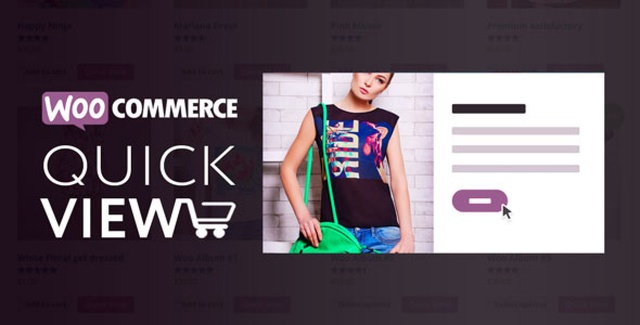
The XplodedThemes Woo Quick View Plugin transforms how shoppers interact with your WooCommerce store. Instead of navigating away from their current page to view product details, customers can instantly preview essential information through a sleek modal window. This streamlined experience reduces friction in the purchasing journey and keeps shoppers engaged longer — which directly supports higher conversion rates.
The plugin is designed to integrate seamlessly with your existing store layout. Whether you want the quick-view button to appear before the Add to Cart button, above it, after it, or below it, the trigger placement is entirely up to you. A hover-over-image option is also available for an even more intuitive browsing experience.
A well-implemented quick view feature addresses one of the most common pain points in online shopping: the need to leave the current page just to learn basic product details. By keeping customers on the same page, you reduce bounce rates and encourage them to browse more products before making a decision.
The smooth animations and intuitive navigation create a professional, modern feel that builds trust with shoppers. When customers can easily compare products, view images, and add items to their cart without interruption, they are more likely to complete their purchase.
Because the plugin is fully customizable through the WordPress Customizer, you can ensure the quick view modal blends perfectly with your store’s existing design — no awkward visual mismatches or clashing styles.
This plugin is ideal for any WooCommerce store looking to improve the product browsing experience. It works particularly well for stores with large catalogs where customers frequently compare multiple products. Retailers selling variable products — such as clothing, accessories, or electronics with multiple options — will benefit significantly from the variation support built directly into the modal.
It is also compatible with the Woo Variation Samples plugin, allowing customers to see sample variations within the quick view. The floating stroller compatibility ensures the modal integrates cleanly even when other floating elements are active on the page.
Unlike generic quick-view solutions, this plugin gives you granular control over every visual and functional aspect of the modal. From trigger placement to loading animations to custom styling, nothing is locked into a one-size-fits-all approach. The live preview in the WordPress Customizer means you can fine-tune the experience before it goes live — no guesswork, no back-and-forth testing.
Combined with Ajax Add to Cart and full variation support, this plugin covers the entire product browsing-to-purchasing flow within a single, cohesive experience. That level of integration is what sets it apart from basic quick-view implementations.
The XplodedThemes Woo Quick View Plugin is a practical, feature-rich solution for any WooCommerce store owner who wants to reduce friction in the shopping experience. By giving customers instant access to product information through a beautifully animated modal, you keep them engaged, help them make faster purchasing decisions, and create a more professional impression of your store. If improving navigation and boosting conversions is a priority, this plugin is a straightforward, effective choice.
Give your customers instant access to product details without leaving the current page. The Woo Quick View Plugin adds a smooth, fully customizable product preview modal to your WooCommerce store — improving navigation and driving more sales. Quick-view modal triggers before, above, after, or below the Add to Cart button Fully customizable via the WordPress Customizer with live preview Smooth animations and previous/next navigation arrows Ajax Add to Cart support with product variation compatibility Product image slider with autoplay, fade/slide transitions, and grayscale effects
From multipurpose themes to niche templates