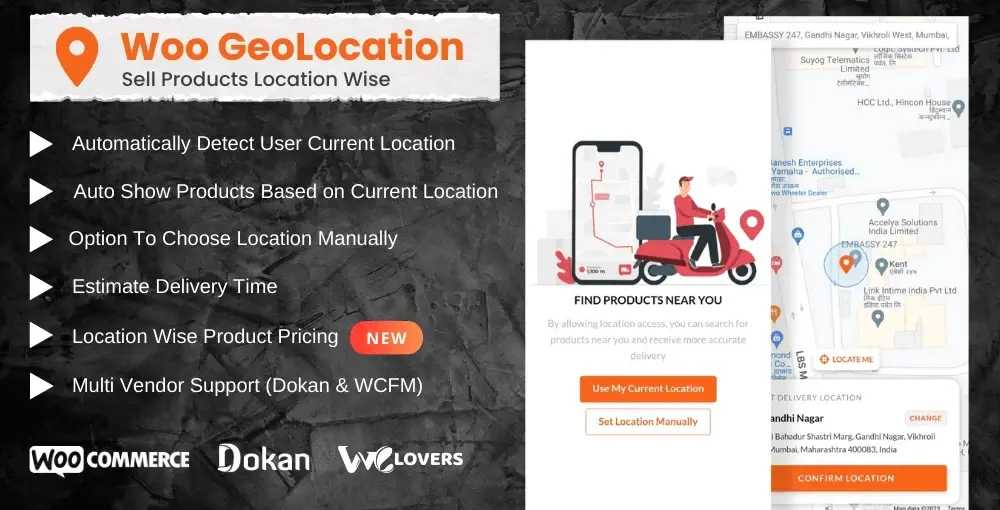
The Woo GeoLocation Plugin brings intelligent location detection to your WooCommerce store, giving you the power to personalize the entire shopping experience based on where your customers are located. Whether you run a single-storefront business or manage a multi-vendor marketplace, this plugin ensures every visitor sees the right products, at the right prices, with accurate delivery information — all handled automatically.
Unlike basic geolocation scripts that only identify a visitor’s location, this plugin takes action on that data. It maps products, pricing, delivery times, and custom messages to specific geographic zones, making it a complete location-commerce toolkit for WooCommerce.
Most geolocation plugins simply detect a visitor’s location and stop there. The Woo GeoLocation Plugin goes further — it maps products, prices, delivery times, and messages to specific zones, with multi-vendor support built in from the ground up. Setup is straightforward: define your zones, assign products, and the plugin handles the rest.
Does this plugin work with caching plugins?
Yes, but you’ll need to configure caching to exclude the location detection scripts or use AJAX-based detection for accurate results on cached pages.
Can vendors set their own zones in Dokan or WCFM?
Yes. The plugin integrates with both marketplaces so vendors can manage their own product-zone mappings and delivery areas directly from their dashboards.
What happens if a visitor’s location can’t be detected?
A friendly pop-up appears prompting them to select their location manually. You can customize the fallback message to match your brand.
Is the geolocation data GDPR compliant?
IP-based geolocation processes personal data. You should disclose this in your privacy policy and obtain consent where required by law.
Can I import zones in bulk?
The plugin supports creating multiple zones manually. For bulk imports, check the documentation for CSV-compatible workflows or contact support.
Stop showing every product to every visitor. With the Woo GeoLocation Plugin, your store becomes location-intelligent — delivering the right inventory, pricing, and delivery promises to each shopper automatically. Whether you’re a single merchant or running a multi-vendor marketplace, this plugin gives you the control to sell smarter by geography.
Transform your WooCommerce store into a location-aware shopping experience. Automatically detect visitor locations to display relevant products, dynamic pricing, and accurate delivery estimates — with full multi-vendor support for Dokan and WCFM.Auto-detect visitor location or let customers choose manuallyDisplay products, prices, and messages by geographic zoneShow real-time delivery estimates based on nearest storeCompatible with Dokan and WCFM multi-vendor pluginsRestrict product access for regional compliance
From multipurpose themes to niche templates