

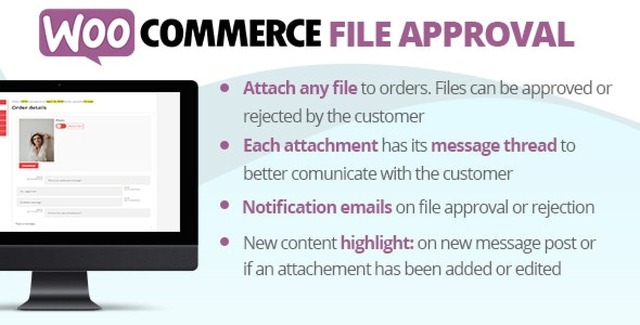
The WooCommerce File Approval Plugin is a purpose-built WordPress extension designed for store managers who need to share files with customers after a purchase and manage the approval process efficiently. Whether you deliver design files, documents, images, or other digital deliverables, this plugin centralizes the entire approval workflow within your WooCommerce order management system.
Rather than relying on scattered email threads or external file-sharing platforms, this plugin keeps every file, message, and approval step organized on the WooCommerce order details page. Each attachment maintains its own file and message thread, making it easy for both administrators and customers to track the full conversation. The process runs naturally until the customer approves the deliverable.
The file approval process is designed to be intuitive and efficient for both store managers and customers:
This plugin addresses a common challenge faced by WooCommerce store owners who deliver file-based products or services. By centralizing the file sharing and approval process within your store, you gain several advantages:
The WooCommerce File Approval Plugin fills a specific gap in WooCommerce’s native functionality. While WooCommerce handles transactions and order management well, it does not provide a built-in mechanism for file-based approval workflows. This plugin adds that capability without disrupting your existing setup, giving you a complete solution for managing file deliverables within your store. With email notifications, WPML support, visual message threading, and automatic file management, it keeps your file approval workflow organized and professional from start to finish.
No. The plugin automatically configures your WordPress media gallery to accept large file uploads without requiring additional server changes.
Yes. The plugin is WPML compatible, allowing you to translate email texts and customize content through a dedicated configuration menu for multilingual stores.
Administrators attach files to WooCommerce orders with optional messages. Customers review the files on their order page and approve or reject each attachment with optional explanatory messages. Automated email notifications keep both parties informed throughout the process.
The plugin uses a GPL license with unlimited domain usage and lifetime manual updates included.
Yes. When attachments or orders are deleted, associated files are automatically removed from the WordPress Media Gallery, preventing media library bloat.
If your WooCommerce store involves sharing files with customers for review and approval, the WooCommerce File Approval Plugin provides a structured, efficient solution. With built-in messaging, automated email notifications, WPML translation support, and automatic file cleanup, it keeps your entire file approval workflow organized, transparent, and professional.
Streamline file sharing and customer approval workflows directly within WooCommerce. Attach files to orders, collect approvals or rejections with threaded messaging, and keep every interaction organized.Seamless WooCommerce integration with no complex setupVisual message threading for each file attachmentAutomated email notifications for admins and customersWPML translation support for multilingual storesLarge file upload support without additional server configurationGPL license with unlimited domain usage and lifetime updates
From multipurpose themes to niche templates





