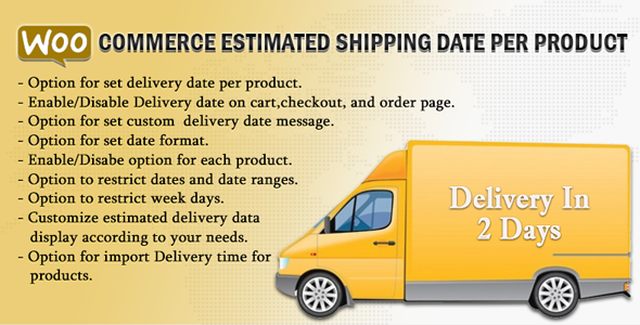
The WooCommerce Estimated Delivery Date Per Product plugin lets you show customers exactly when their order will arrive — right on the product page, in the cart, and at checkout. Instead of vague shipping policies, each product displays a specific date or date range, building trust and reducing the “when will I get it?” friction that drives cart abandonment.
[Rp_delivery_date] for custom layouts.Clear delivery expectations directly impact conversion rates. Baymard Institute research shows that unexpected shipping costs and unclear delivery timelines are top reasons for checkout abandonment. This plugin eliminates the ambiguity by surfacing a concrete date early in the buyer journey — on the product page before they even add to cart.
For store operators, the bulk editing and import/export support means you can manage delivery data at scale without opening each product individually. The per-product override lets you handle exceptions (pre-orders, made-to-order items, regional warehouses) while the global settings keep routine products consistent.
Unlike generic shipping calculators, this plugin focuses on one thing: communicating a clear, per-product delivery promise. The feature set is built around real merchant workflows — bulk editing for catalog managers, import/export for migrations, AJAX for performance-obsessed sites, and WPML for global sellers. No bloated settings panels, no forced upsells. Just a reliable way to tell customers when their package arrives.
Yes. The plugin supports variable products, allowing you to set delivery dates at the variation level.
Yes. An AJAX option loads the delivery date dynamically so cached pages still show accurate dates.
Yes. There’s a dedicated setting to hide estimated delivery time when a product is out of stock.
Yes. The plugin is fully compatible with WPML for translating delivery messages and dates.
Yes. Delivery time fields integrate with WooCommerce’s native product import/export functionality.
If you run a WooCommerce store and want to convert more browsers into buyers, start by answering their most basic question: “When will I get it?” This plugin puts that answer exactly where it matters — on the product page, in the cart, and at checkout — with the flexibility to handle your unique fulfillment reality.
Display accurate estimated delivery dates for each WooCommerce product on product, cart, and checkout pages. Reduce cart abandonment by giving customers clear shipping expectations. Set unique delivery dates per product or globally Supports simple, variable, and bundled products WPML compatible with import/export and bulk editing Works with caching plugins via AJAX delivery date loading Restrict dates by day ranges, weekdays, or out-of-stock status
From multipurpose themes to niche templates