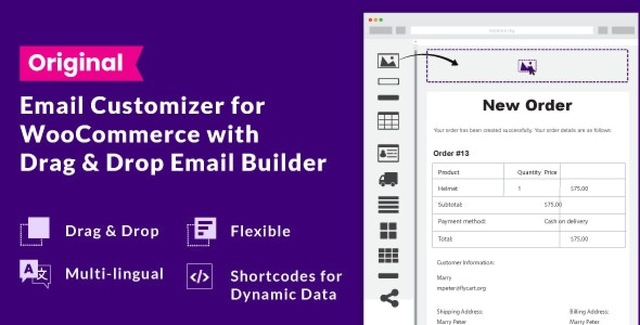
Transform your WooCommerce store’s communication with the ultimate Email Customizer plugin. Designed for store owners who demand professional-grade transactional emails, this tool replaces basic templates with a powerful drag-and-drop interface. Whether you are sending order confirmations, processing refunds, or managing subscriptions, you can create beautiful, on-brand emails that impress your customers.
Unlike standard plugins that limit you to header and footer edits, this builder gives you full control. Add logos, social icons, custom paragraphs, images, and dynamic data blocks with ease. It is the perfect solution for elevating your store’s professionalism and ensuring every customer interaction reflects your brand quality.
Transactional emails are some of the most opened messages your customers receive. A poorly designed, default email can make your business look amateurish, while a polished, branded email reinforces trust and professionalism. By customizing your emails, you turn a simple notification into a marketing opportunity that keeps your brand top-of-mind.
Compatibility: WooCommerce 3.6, 3.5, and all 3.x versions. WordPress compatible with multi-site setups.
Element Library: Includes over 15 elements such as text blocks, paragraphs, image blocks, buttons, and social icons.
License: Unlimited domain usage under GPL v3.
Dynamic Shortcodes: Comprehensive list of shortcodes available for order details, payment methods, shipping addresses, billing information, and customer notes.
Does this plugin work with WooCommerce Subscriptions?
Yes, the email customizer is fully compatible with WooCommerce Subscriptions, allowing you to design custom emails for subscription-related notifications.
Can I create emails in multiple languages?
Absolutely. You can create distinct email templates for each language supported by your store. The plugin integrates with WPML to ensure content and product lists are displayed in the correct language for each customer.
How do I add a coupon code to the email?
The plugin includes a dedicated “Next Purchase Coupon” feature. You can drag this element into your email design, and it will automatically populate with a unique, one-time-use coupon code for the customer.
Can I see a preview before sending?
Yes. The editor provides a live preview using sample order data. You can also send a test email to yourself to verify the final output on different devices.
Is this compatible with the WooCommerce Checkout Field Editor?
Yes, the plugin supports the official WooCommerce Checkout Field Editor, ensuring your custom fields are reflected accurately in the email designs.
Design professional WooCommerce transactional emails with an intuitive drag-and-drop builder. Customize every element to match your brand and boost customer engagement.Drag-and-drop email editor with 15+ elementsSupports WooCommerce Subscriptions and custom order statusesInclude next-purchase coupons to drive repeat salesCreate multilingual email templates (WPML compatible)Live preview and import/export functionality
From multipurpose themes to niche templates