Take control of your email marketing with the WooCommerce Autoresponder WordPress Plugin. Designed for store owners who want to bridge the gap between sales and subscriber growth, this plugin ensures that every purchase contributes to your marketing funnel. Whether you are using Mailchimp, AWeber, GetResponse, or other major platforms, this tool simplifies the process of enrolling customers into your automated email sequences.
By automatically capturing email addresses, first names, and last names at checkout, you eliminate manual data entry and ensure your lists grow organically with every transaction. The plugin offers flexible configuration options, allowing you to add customers to specific lists based on the products they purchase, enabling highly targeted marketing campaigns.
Integrating your WooCommerce store with an autoresponder is crucial for building long-term customer relationships. This plugin helps you:
This plugin is ideal for WooCommerce store owners looking to streamline their email marketing efforts. Use it to:
The WooCommerce Autoresponder Plugin offers a robust solution for integrating your e-commerce platform with your email marketing tools. With support for a wide range of popular autoresponders and features like product-level configuration and automatic list addition, it provides the flexibility and power needed to optimize your marketing efforts. Its ease of use and no-code requirement make it an accessible choice for businesses of all sizes.
Which email marketing services are supported?
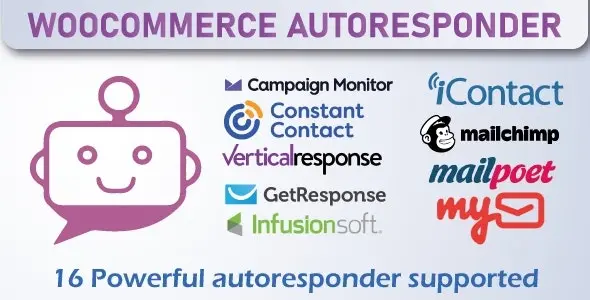
The plugin supports 16 popular autoresponders, including Mailchimp, AWeber, GetResponse, Infusionsoft, Constant Contact, Campaign Monitor, VerticalResponse, SendReach, ActiveCampaign, MailPoet, Sendinblue, ConvertKit, Mailster, iContact, iContact Pro, and My Email.
Do I need coding skills to use this plugin?
No, the plugin is designed to be user-friendly and requires no coding knowledge for setup and configuration.
Can I add customers to multiple lists?
Yes, you can configure the plugin to add customers to multiple automated responses based on your preferences.
How are customers added to the list?
Customers can be added automatically when an order is created or when the order is completed, depending on your settings.
Is there a limit to the number of domains I can use?
No, the plugin comes with an unlimited domain usage license.
Automate your email marketing directly from your WooCommerce store. This plugin seamlessly integrates your shop with leading autoresponder services, capturing leads and managing subscriber lists based on customer purchases.Integrates with 16+ top email marketing platformsAutomatically add customers to lists upon purchaseProduct-level configuration for targeted responsesDisplay opt-in checkboxes at checkoutNo coding required; easy setup
From multipurpose themes to niche templates