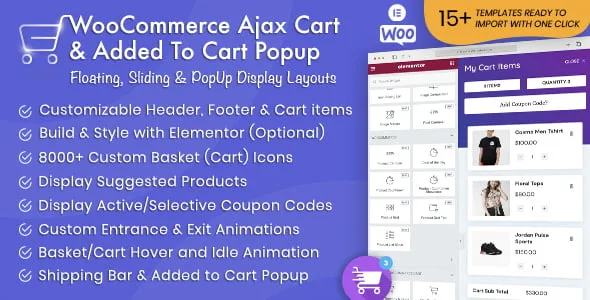
Product Overview
The WooCommerce Ajax Cart Plugin transforms your store’s shopping experience by replacing the traditional multi-step cart flow with an instant, interactive cart interface. When customers add a product to their cart, they immediately see a floating, sliding, or popup cart window — no page redirect, no loading delay. From there, they can adjust quantities, apply coupon codes, update shipping details, and even complete checkout without ever leaving the current page.
Built for WooCommerce store owners who want to reduce cart abandonment and speed up the purchase process, this plugin delivers a modern, conversion-focused cart experience that feels native to your site.
Key Features
- Three Cart Display Modes — Choose between a floating cart button, a side-panel sliding cart, or a centered popup modal. Each style suits different store layouts and user flows.
- Inline Checkout — The full WooCommerce checkout form loads directly inside the cart window, so customers can enter payment and shipping details without navigating away from the product page.
- Real-Time Ajax Updates — Quantity changes, item removals, coupon applications, and shipping calculations all update instantly without a page refresh.
- Customizable Styling — Adjust font sizes, label colors, input borders, and background colors from the settings panel. No custom CSS knowledge required.
- Flexible Checkout Routing — Configure the checkout button to either load the form inline or redirect users to your standard WooCommerce checkout page.
- GPL License with Unlimited Domains — Use the plugin on as many sites as you need. Lifetime manual updates are included with no recurring subscription fees.
Benefits
- Higher Conversion Rates — By eliminating the separate cart-page step, you remove a common friction point that causes shoppers to abandon their purchase.
- Lower Cart Abandonment — Customers see their order summary immediately after adding an item, making it easy to review and correct their cart on the spot.
- Faster Mobile Shopping — The touch-friendly sliding panel works naturally on phones and tablets, providing a smooth mobile checkout experience.
- Brand-Consistent Design — Color and typography controls let you match the cart to your store’s visual identity, including Elementor Pro–based themes.
- Developer-Friendly Codebase — Clean, GPL-licensed code with no encrypted files, no license keys, and no hidden dependencies to manage.
How It Can Be Used
- Replace the default “Added to Cart” notice with an interactive mini-cart that encourages immediate checkout.
- Deploy a persistent floating cart icon on long product pages so the order summary is always one click away.
- Enable inline checkout for digital products or single-item funnels to close sales directly on the landing page.
- Use the sliding side-panel on desktop for a spacious order review that doesn’t cover your page content.
Specifications
- Version: 3.34.2
- License: GPL (unlimited domains)
- Updates: Lifetime manual updates
- Compatibility: WooCommerce, WordPress, Elementor Pro
- File Integrity: 100% clean, virus-free
Why Choose This Plugin?
Most cart plugins offer only a single popup display. This one gives you three distinct display modes, inline checkout, and full visual control — all under one GPL license with no recurring fees. It’s designed for store owners who want a faster, smoother checkout flow without hiring a developer or locking into a subscription model.
Frequently Asked Questions
- Does this replace the default WooCommerce cart page?
- It adds an Ajax cart layer on top of the standard WooCommerce flow. The original cart and checkout pages remain fully accessible if you prefer a redirect option.
- Can I use the inline checkout with my payment gateways?
- Yes. The checkout form loads via Ajax, so all active WooCommerce payment gateways and custom fields render normally inside the cart panel.
- Is Elementor Pro required?
- No. The plugin works with any WordPress theme. Elementor Pro compatibility is noted for users building custom page templates.
- How are updates delivered?
- Updates are provided manually through your account dashboard. There is no automatic updater within the WordPress admin area.
- Can I translate the cart strings?
- Yes. The plugin is translation-ready and works with standard WordPress localization tools.
Conclusion
If you’re looking to shorten the path from “Add to Cart” to “Order Confirmed,” the WooCommerce Ajax Cart Plugin delivers a flexible, conversion-focused solution. Three display styles, inline checkout, real-time totals, and full design control — all under a perpetual GPL license — make it a practical upgrade for any WooCommerce store.