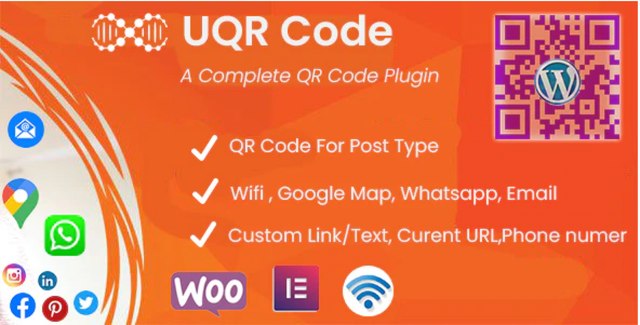
The U QR Code Generator is a powerful WordPress plugin designed to bridge the gap between your digital content and offline users. By automatically generating unique QR codes for your posts, pages, and WooCommerce products, this tool allows visitors to instantly access your links, contact information, or physical locations simply by scanning their smartphone cameras. Built with a dedicated Elementor widget, the plugin offers a seamless, user-friendly experience for building interactive and engaging web pages without relying on complex third-party APIs.
Implementing the U QR Code Generator enhances user engagement by making your content instantly accessible on mobile devices. Whether you are running a WooCommerce store that needs to provide product details on physical packaging, or a local business wanting to share your Google Maps location, this plugin handles it all. The ability to embed Wi-Fi access credentials or WhatsApp chat links into a scannable code creates a frictionless communication channel for your customers. Because it operates entirely through JavaScript, the plugin is lightweight and independent of external API limits or downtime.
Choosing the U QR Code Generator provides you with a clean, GPL-licensed plugin that includes lifetime updates and unlimited domain usage. It is a highly cost-effective solution for agencies and site owners who need reliable QR code functionality across multiple projects. With robust features like bulk PDF printing, logo integration, and complete color customization, it offers professional-grade QR code management without recurring subscription fees or API dependencies.
No. The U QR Code Generator creates all QR codes using JavaScript directly in the browser, meaning there are no Google API dependencies or external limits to worry about.
Yes. You can easily customize the foreground and background colors, adjust the size, configure alignment, and even insert a custom logo into the center of your QR codes.
Absolutely. The plugin includes a dedicated ‘UQR Code’ addon that appears directly in the Elementor editing panel, allowing you to drag and drop QR codes onto your pages effortlessly.
You can generate QR codes for custom links, the current page URL, plain text, phone numbers, Wi-Fi credentials, Google Maps locations, and WhatsApp chat links.
Yes. The plugin features a bulk printing option that allows you to export and print multiple QR code images as a PDF directly from the plugin’s options panel.
Easily generate dynamic QR codes for your WordPress site, WooCommerce products, and Elementor pages. Add custom links, Wi-Fi access, Google Maps locations, and WhatsApp chat shortcuts instantly.Dynamic QR codes for pages, posts, and WooCommerce productsSeamless Elementor widget integrationNo Google API dependencies requiredLifetime updates includedUnlimited domain usage
From multipurpose themes to niche templates