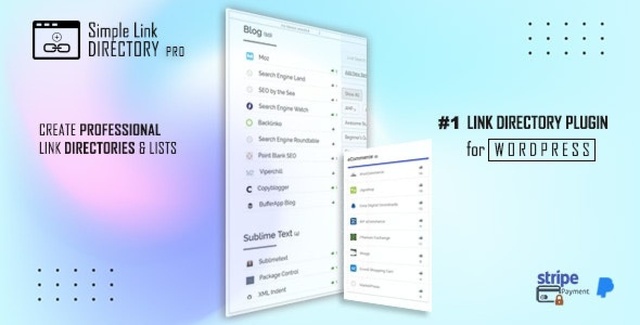
Simple Link Directory Pro turns your WordPress site into a professional link directory in minutes. Whether you’re curating resources for a niche blog, showcasing affiliate partners, or building an internal tool index, this plugin gives you a streamlined way to organize and display link collections — no HTML, CSS, or PHP knowledge needed.
Create categories, add links with rich descriptions and optional images, then drop the complete directory onto any page or post using the built-in shortcode generator. The result: clean, well-structured link lists that keep visitors engaged and navigating longer.
Simple Link Directory Pro removes the friction from managing link collections on WordPress. Instead of manually coding HTML tables or wrestling with complex page builders, you get a purpose-built workflow that produces clean, organized directories every time.
Visitors benefit from clear categorization and visually rich link entries — thumbnails, favicons, and icons that make each link look intentional. This improves navigation, increases time on page, and presents your curated resources professionally.
The shortcode generator is especially powerful for non-technical users. With over two dozen parameters, you control exactly how the directory appears: which categories to show, sort order, layout style, image display, and more — all through a simple interface.
Many WordPress users struggle to present link collections in a clean, organized way. Simple Link Directory Pro solves that with a dedicated interface and flexible shortcode system. The combination of automatic thumbnail generation, favicon detection, and font icon support means every link looks professional — no design skills required.
If you need a straightforward, reliable way to turn your WordPress site into a functional link directory, this plugin delivers exactly that.
No. The shortcode generator handles all the complexity. Just pick your settings and paste the generated shortcode into any page or post.
Yes. Shortcode parameters let you show individual categories, all categories, or specific lists within a category.
The plugin automatically fetches and displays a thumbnail image from each linked website. You can also upload your own image or use a favicon instead.
Yes. Since output is controlled through shortcodes, the directory works with any standard WordPress theme.
Absolutely. You can attach any image to a link entry and set it to open an external URL when clicked.
Simple Link Directory Pro gives WordPress users a fast, flexible way to build organized, visually appealing link directories. With automatic thumbnails, favicon support, font icons, and a powerful shortcode generator, it covers everything you need to present your links professionally. Get started today and take your site’s link management to the next level.
Build organized, visually rich link directories on WordPress without code. Create categorized link lists with descriptions, auto-generated thumbnails, favicons, and font icons — then publish anywhere using a powerful shortcode generator with 24+ display parameters.Category-based organization for easy visitor navigationAuto-generate website thumbnails or use favicons and font iconsLink external images to any URL with a single clickShortcode generator with 24+ display parameters for full layout controlWorks with any WordPress theme — no coding required
From multipurpose themes to niche templates