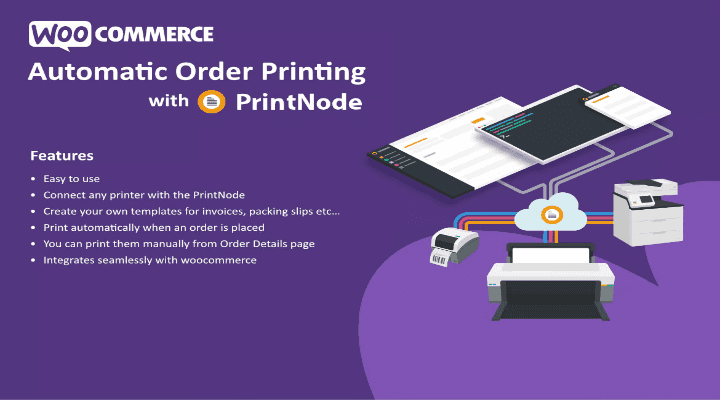
PrintNode Automatic Order Printing for WooCommerce removes the most time-consuming part of order fulfillment: manually printing invoices and packing slips. When a customer places an order, this plugin instantly sends the correct documents to the right printer through PrintNode’s cloud printing platform—no dashboard login, no clicking, no waiting.
The plugin connects directly to PrintNode using WooCommerce’s native action hooks. You configure your printers, define document templates, and set trigger rules based on order status. From that point forward, every qualifying order prints automatically. Whether you process ten orders a day or a thousand, the workflow remains identical—fast, consistent, and hands-free.
Manual batch printing consumes significant labor. Printing fifty orders manually takes over twenty minutes of repetitive clicking, waiting, and sorting. This plugin reduces that task to seconds—freeing staff to focus on fulfillment accuracy and customer service.
Automation also eliminates common fulfillment errors. Wrong invoices, missing packing slips, and accidental duplicate prints disappear when the right document is routed to the right printer automatically. The result is a more professional operation with consistent, branded paperwork for every shipment.
As order volume grows, the same workflow scales without additional hiring. The plugin handles ten orders or one thousand with the same speed, making it suitable for solo stores and high-volume warehouses alike. Faster ship-out times follow naturally: packing slips arrive at the printer before the team reaches the packing bench, reducing the gap between order placement and shipment.
This plugin requires an active WooCommerce installation (tested with current versions), a PrintNode account (free tier available with paid plans for higher volume), at least one registered printer, PHP 7.4 or higher, and WordPress 5.8 or higher.
Most automatic printing solutions rely on browser extensions, scheduled cron jobs, or third-party middleware that can break during platform updates. This plugin communicates directly with PrintNode’s API through WooCommerce’s own action hooks. There are no background workers, no queue tables, and no fragile moving parts. It is the shortest, most reliable path from “order placed” to “paper in hand.”
If your team is still printing manually, you are paying for labor that software performs faster and more accurately. Install once, configure in minutes, and eliminate the need to click “Print” on an order screen again.
Does this work without a PrintNode account?
No. The plugin serves as a bridge between WooCommerce and PrintNode’s cloud printing service. A PrintNode account—free or paid—is required.
Can I use different printers for invoices versus packing slips?
Yes. You assign a printer for each document type in the settings. They can be the same physical printer or separate devices at different packing stations.
What printers are supported?
Any printer registered in your PrintNode account. PrintNode supports most thermal label printers, laser, and inkjet models across Windows, macOS, and Linux.
Can I customize the invoice and packing slip layout?
Yes. The plugin uses standard WooCommerce template files. Override them in your theme or child theme to adjust design, fields, branding, or add custom metadata.
What happens if the printer is offline when an order arrives?
PrintNode queues the job and prints it automatically when the printer reconnects. No orders or documents are lost.
PrintNode Automatic Order Printing for WooCommerce turns fulfillment from a manual task into an automated process. With direct API integration, universal printer support, and native WooCommerce hooks, it delivers reliability without complexity. Configure your printers, set your triggers, and let the plugin handle every print job—so your team can focus on getting orders out the door.
Remove the manual bottleneck from WooCommerce fulfillment. This plugin connects your store to PrintNode and instantly sends invoices and packing slips to the right printer—no dashboard login, no clicking, no waiting. Auto-prints invoices and packing slips on new orders Works with any printer registered in PrintNode Custom templates via standard WooCommerce overrides Manual reprint option directly from the order screen Native hooks—no middleware, no queue tables
From multipurpose themes to niche templates