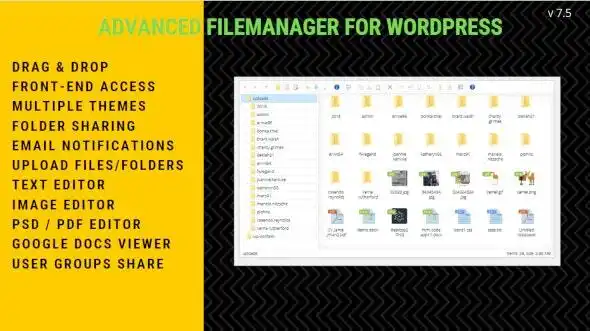
Take full control of your WordPress site’s files with this powerful File Manager Plugin. Designed for administrators and content managers, it brings a professional file management experience directly to your site’s front end. Whether you need to organize media, manage user uploads, or edit text files, this plugin delivers the tools you need in an intuitive interface.
This WordPress file manager plugin streamlines your workflow by bringing professional file management to the front end. Administrators gain precise control over user permissions, while end users get an intuitive interface for organizing their content. The automatic folder creation feature means less setup time and better organization from the start.
The integrated image editing tools eliminate the need for external software. Users can quickly crop, rotate, or resize images without leaving the browser. Text file editing support makes it easy to manage configurations and code without switching applications.
Unlike basic media libraries, this plugin offers comprehensive file management with enterprise-grade permission controls. The combination of front-end accessibility and administrator oversight makes it ideal for team environments. With unlimited domain usage and lifetime updates, you get long-term value without recurring costs.
Yes, the demo includes Elementor Pro compatibility. The file manager integrates smoothly with popular page builders.
Absolutely. You can set read and write permissions for different users and restrict access using secure front-end access codes.
The plugin supports ZIP, TAR, BZip, and GZip formats for creating and managing compressed archives.
No. The drag-and-drop interface and intuitive menus make it easy for users of all skill levels. Automatic folder creation handles the setup for you.
No. This is a one-time purchase with lifetime manual updates included. Unlimited domain usage means you can deploy it across multiple sites.
Upgrade your WordPress site with a professional file manager that combines power and simplicity. From granular permission controls to front-end accessibility, this plugin gives you the tools to manage files efficiently. With unlimited domains, lifetime updates, and a clean virus-free codebase, it’s a smart investment for any WordPress administrator.
Empower your WordPress site with a full-featured file manager. Manage files, set permissions, and edit content—all from the front end.Drag-and-drop file managementSet user-specific read/write permissionsImage editing (crop, rotate, resize)Archive creation (ZIP, TAR, GZIP)Automatic folder creation for users
From multipurpose themes to niche templates