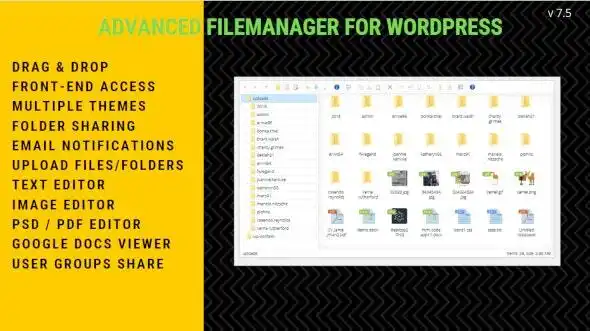
Efficiently managing your WordPress website’s files is essential for maintaining a clean, organized, and functional site. This File Manager Plugin for WordPress bridges the gap between complex server-level file management and user-friendly dashboard controls. Whether you are a site administrator needing quick access to theme and plugin files, or a developer managing client sites, this tool provides a robust solution for all your file handling needs.
Built on an open-source foundation, this plugin integrates seamlessly into WordPress, offering a modern interface with powerful capabilities. It supports both back-end administration and secure front-end access, making it versatile for various workflows. From simple file uploads to complex archive creation and image editing, this plugin handles it all with a focus on security and usability.
Using this WordPress File Manager Plugin offers significant benefits for site owners and developers. It reduces the need for external FTP clients or complex server management tools, allowing you to handle file operations directly from your WordPress dashboard. The granular permission system enhances site security by limiting file access to trusted users only. Additionally, the built-in editing and image manipulation tools save time by eliminating the need to switch between multiple applications for basic file tasks.
This plugin is ideal for web developers managing multiple WordPress sites, digital agencies handling client websites, and site administrators who need regular access to theme and plugin files. It is particularly useful for tasks such as uploading media assets, editing theme CSS or PHP files, creating backups via archives, and organizing media libraries. The front-end access code feature allows for customer support scenarios where users need to upload documents or manage specific files securely.
This plugin stands out due to its combination of powerful features, security controls, and ease of use. It provides a comprehensive file management solution within the familiar WordPress environment, reducing the learning curve and increasing productivity. The ability to set specific permissions ensures that your site remains secure while allowing necessary access. With unlimited domain usage and lifetime manual updates, it offers long-term value for your WordPress projects.
Can I use this plugin on multiple websites?
Yes, the plugin comes with an Unlimited Domain Usage License, allowing you to install it on as many WordPress sites as you need.
Is the plugin secure?
Absolutely. The files are verified to be 100% clean and free from viruses. Additionally, you can restrict access to specific users and set detailed permissions for folders and files.
Can I edit files directly in the plugin?
Yes, the plugin includes a text editor for modifying text-based files and image editing tools for cropping, rotating, and resizing images.
Is front-end access supported?
Yes, administrators can display the file manager on the site’s front-end using access codes, visible only to users with the appropriate permissions.
Do I need to pay for updates?
No, the plugin includes lifetime updates. Please note that updates are manual, so you will need to apply them yourself when new versions are available.
Enhance your WordPress site’s file management capabilities with this robust and secure File Manager Plugin. Whether you need to edit code, manage media, or organize files with precise user controls, this plugin provides the tools you need to work efficiently. With its intuitive interface, comprehensive feature set, and strong security options, it is an essential addition for any serious WordPress website.
Take full control of your website's file system with this powerful WordPress File Manager Plugin. Designed for administrators and developers, it provides a secure, intuitive interface to manage files, edit content, and organize media directly from your dashboard or front-end.Granular Access Control: Restrict file manager access to specific users and set custom Read/Write permissions for folders.Advanced File Operations: Upload, create, cut, copy, paste, and delete files with drag-and-drop ease.Media & Text Editing: Edit text files directly, and manage images with built-in crop, rotate, and resize tools.Archive Support: Create and manage ZIP, Tar, BZip, and GZip archives instantly.Front-End Access: Display the file manager on your site's front-end using secure access codes for permitted users.
From multipurpose themes to niche templates