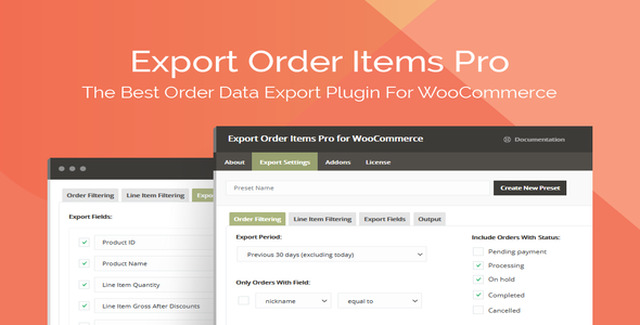
Export Order Items Pro is a purpose-built WooCommerce plugin that transforms raw order data into clean, actionable reports — on demand. Whether you’re reconciling accounts, preparing tax documents, analyzing product performance, or handing off fulfillment lists to a warehouse, this plugin eliminates the manual copy-paste cycle and delivers precisely formatted exports in seconds.
Designed for store owners, accountants, and operations teams, it supports six export formats and granular control over every column, filter, and sorting rule. Set it up once, save your configuration as a preset, and rerun identical reports with a single click.
Most order export tools either oversimplify — offering rigid templates and few formats — or overcomplicate with bloated interfaces and subscription pricing. Export Order Items Pro hits the sweet spot: deep, granular control over every aspect of the export — formats, fields, filters, logic, layout — wrapped in a focused interface that gets out of your way.
You configure it once, save the preset, and move on. No recurring fees. No data leaving your server. Just reliable, repeatable exports whenever you need them.
Can I export custom fields added by other plugins?
Yes — any order meta stored by WooCommerce or third-party plugins is available for inclusion.
Can I export orders from a specific date range?
Yes. Use preset periods like today, this week, or last month, or define custom start and end timestamps.
Can I rename column headers in the exported file?
Yes — field names and display order are fully customizable per preset.
Is there a limit on the number of orders per export?
Performance depends on your server resources. The plugin supports large exports without a stated order limit.
Does it support scheduled or automated exports?
The plugin supports on-demand exports with saved presets. Automated scheduling is not currently included.
If you spend more than a few minutes each week wrestling with WooCommerce order data — cleaning CSVs, deleting columns, reformatting dates, filtering refunds — Export Order Items Pro pays for itself on the first use. It gives you the precision of a custom query with the convenience of a saved template. Install, configure your presets, and reclaim the time you’ve been spending on spreadsheets.
Export Order Items Pro gives you complete control over WooCommerce order data. Export orders to CSV, XLSX, HTML, and more with advanced filtering, conditional logic, and reusable presets — so you can generate accounting reports, fulfill orders faster, and analyze sales without manual work.Export to CSV, XLS, XLSX, HTML, and Advanced HTML formatsFilter by status, user role, category, tag, product ID, and custom fieldsConditional logic with dynamic fields for precise report sortingSave presets and custom date ranges to reuse reports instantlyCustomize field names, order, decimals, and layout per export