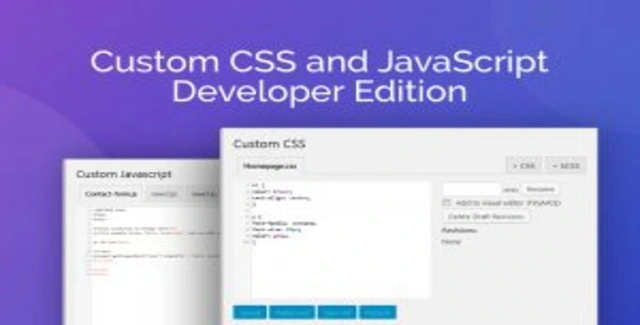
The Custom CSS and JavaScript Developer Edition is a WordPress plugin built for developers and site owners who need full control over their site’s styling and behavior—without modifying core theme files. By keeping all custom code isolated from WordPress and theme directories, this plugin ensures your edits survive theme updates and gives you a professional-grade coding environment straight from your dashboard.
Version 3.34.2 delivers a refined editing experience with syntax highlighting, SASS compilation, AJAX-based saving, and a multi-file interface that keeps even complex projects organized. Whether you’re tweaking colors, adding animations, or building custom interactive features, this plugin gives you the tools to do it safely and efficiently.
Editing CSS and JavaScript through this plugin keeps your customizations completely separate from WordPress core and theme files. This means theme updates will not overwrite your work, and you can develop with confidence knowing the underlying code remains untouched. The live preview feature reduces guesswork by showing changes instantly, while the revision system provides a safety net for experimentation. For teams or freelancers managing multiple sites, the import and export functionality makes it simple to reuse code snippets and maintain consistency.
Use this plugin to add custom styling to any WordPress page, create JavaScript-driven interactions like sliders or modals, implement SASS-based design systems, or maintain a library of reusable code snippets. It is ideal for developers who want a centralized, safe location for custom code without relying on child themes or external build tools for every small change.
This Developer Edition combines the safety of isolated custom code with the power of a professional code editor. The inclusion of SASS compilation, live preview, revision history, and performance-focused minification makes it a comprehensive solution for WordPress developers who value both control and convenience. Backed by a GPL license and unlimited domain usage, it is a cost-effective tool for freelancers, agencies, and site owners alike.
It allows you to add and edit custom CSS and JavaScript directly within WordPress using a dedicated code editor, keeping all changes separate from your theme and core files.
Yes, the plugin is compatible with any standards-compliant WordPress theme.
Yes, a SASS compiler is included, so you can use variables, nesting, and other SASS features in your CSS.
Changes are saved via AJAX without reloading the editor, preserving your cursor position and progress.
Yes, timestamped revisions are created automatically, allowing you to revert to any earlier version of a CSS or JavaScript file.
The Custom CSS and JavaScript Developer Edition gives WordPress users a safe, organized, and powerful way to manage custom front-end code. With professional editing features, SASS support, and performance optimizations built in, it is an essential utility for anyone serious about WordPress development.
Edit custom CSS and JavaScript directly within WordPress without touching your theme files. The Developer Edition gives you a professional code editor with syntax highlighting, SASS support, live preview, AJAX saving, and revision history—keeping your site safe and your workflow efficient.Syntax highlighting with line numbering and auto-indentationBuilt-in SASS compiler for modern CSS workflowsLive CSS preview in a second browser tabAJAX saving preserves your place while codingMulti-file tabbed interface for organized projectsRevision history to revert to previous versionsMinified output for optimal front-end performanceUnlimited domain usage under GPL license
From multipurpose themes to niche templates