

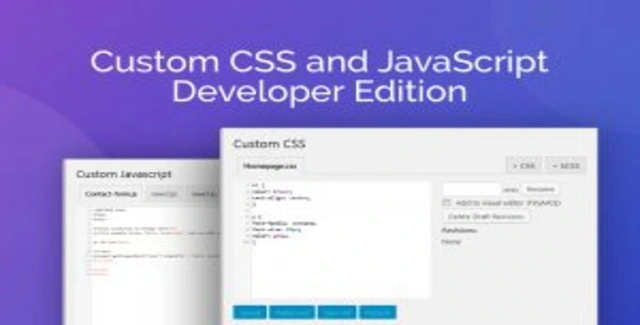
The Custom CSS and JavaScript Developer Edition is a robust WordPress plugin designed for developers and designers who require precise control over their site’s styling and scripting. It transforms the standard WordPress experience by providing a professional-grade code editor directly within the dashboard. The plugin ensures that all custom code remains separate from your theme files, allowing you to make edits with confidence without risking your core WordPress integrity.
This plugin streamlines your development workflow by keeping your custom code isolated from theme updates. You can edit CSS and JavaScript with comfort, knowing that your main WordPress and theme code remains intact. The live preview feature accelerates your design process, while the multi-file interface helps you maintain clean, organized codebases.
Use this plugin to add custom styles and scripts to any page on your website, not just the homepage. It is ideal for implementing specific design tweaks, adding custom animations, or injecting third-party scripts without modifying theme files. The SASS compiler allows you to use modern CSS syntax, which is then compiled for broader browser compatibility.
Choose the Custom CSS and JavaScript Developer Edition for its combination of powerful features and ease of use. It offers a clean, virus-free codebase with verified original files. The plugin’s focus on developer productivity, through features like live preview and multi-file management, makes it an essential tool for anyone looking to customize their WordPress site effectively.
No, all CSS and JavaScript edits are kept separate from your main theme files, ensuring your original code remains intact.
Yes, the plugin includes a SASS compiler, allowing you to use variables, nesting, and other SASS features.
Yes, you can optionally minify the combined CSS and JavaScript files to reduce file size and improve performance.
The license allows for unlimited domain usage.
Yes, lifetime updates are available, though they require manual installation.
Empower your WordPress development with the Custom CSS and JavaScript Developer Edition. Its advanced editor, live preview, and organizational tools provide everything you need to customize your site efficiently and safely.
Enhance your WordPress site with the Custom CSS and JavaScript Developer Edition. This plugin offers a powerful code editor with syntax highlighting, live preview, and multi-file management.Advanced code editor with syntax highlighting and line numberingCSS live preview in a separate browser tabSupport for SASS/SCSS variables and nestingMulti-file interface for organized developmentAutomatic AJAX saving to prevent data lossMinified output for optimized front-end performance
From multipurpose themes to niche templates





