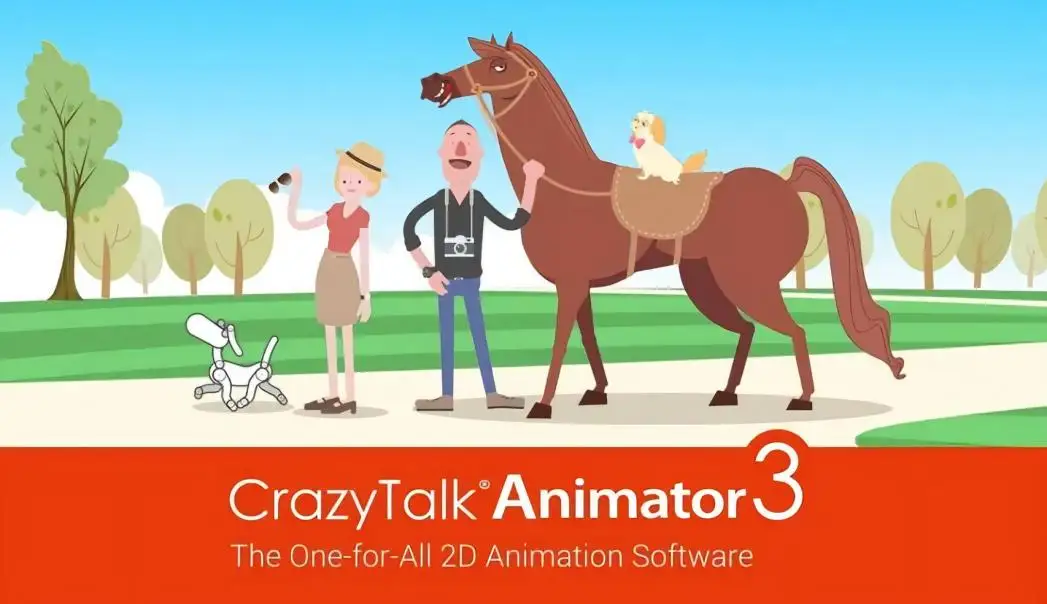
Reallusion CrazyTalk Animator Pipeline is a full-featured 2D animation suite built to help creators bring images, logos, characters, and props to life with professional-quality motion. Whether you are producing content for video, web, games, apps, or presentations, this tool gives you the flexibility and control to create engaging animations without requiring years of experience in traditional frame-by-frame animation.
The software pairs a layered 2D stage within a 3D environment with powerful character rigging tools, facial puppetry, audio lip-syncing, and a library of pre-made motion templates. The included Resource Pack adds valuable motion libraries and assets that expand what you can create right from the start.
CrazyTalk Animator Pipeline is built around one core idea: making professional 2D animation accessible. Instead of spending hours hand-drawing every frame, you can use the Actor Creator Assistant to generate characters from any photo or illustration, then apply automatic facial animation and puppetry movement to bring them to life.
The drag-and-drop stage makes scene setup intuitive. Place actors, props, scenery, and images or video directly onto the stage, then use camera tracks and the timeline to film and direct the action. The result is a streamlined workflow that lets you focus on creativity rather than technical hurdles.
Audio lip-syncing means you can take dialogue from people speaking and apply it to any character, creating talking characters that feel natural and engaging. This is especially valuable for explainer videos, educational content, presentations, and interactive media.
CrazyTalk Animator Pipeline is versatile enough to serve a wide range of creative and commercial needs:
The combination of the CrazyTalk Animator Pipeline software and the included Resource Pack gives you a complete toolkit for 2D animation. Pre-made motion templates and elastic motion effects let you create professional results quickly, while the bone rig editor and facial puppetry tools give you fine-grained control when you need it.
Unlike traditional animation software that requires extensive training, CrazyTalk Animator is designed to be approachable. The drag-and-drop interface, layered stage, and template-based workflow mean you can start producing animations from day one.
The Resource Pack includes valuable motion libraries, character templates, and pre-made assets that complement the CrazyTalk Animator Pipeline software, giving you more creative options for your projects.
Yes. CrazyTalk Animator includes powerful audio lip-sync tools and facial puppetry features that allow you to create talking characters using dialogue from people speaking, applied to any character model.
You can create 2D character animations, motion graphics, animated videos, interactive composite animations, and more. The software supports human and animal character templates, anime-style characters, and custom characters created from photos or illustrations.
The software requires Windows 7, 8, or 10, a dual-core CPU or higher, Nvidia GeForce 9 Series or higher (or ATI HD 3000 Series or higher), DirectX 10, and 6 GB of RAM.
Yes. You can apply bouncy elastic motion effects to any image, logo, or prop, or use one of the many available motion templates to instantly animate them.
Reallusion CrazyTalk Animator Pipeline with the Resource Pack is a powerful yet accessible 2D animation solution. Whether you are creating content for video, web, games, or presentations, it gives you the tools, templates, and creative freedom to bring your ideas to life. Get started with professional 2D animation today.
Reallusion CrazyTalk Animator Pipeline is a comprehensive 2D animation suite that lets you bring images, logos, and characters to life with professional-quality motion. The included Resource Pack adds motion libraries, templates, and assets to expand your creative possibilities.Apply elastic motion effects and pre-made motion templates instantlyCreate and rig 2D talking characters with bone tools and facial puppetryUse audio lip-sync tools to add realistic dialogue to any characterBuild scenes with a drag-and-drop layered 2D stage in a 3D environmentExport animations for video, web, games, apps, and presentationsCompatible with Windows 7, 8, and 10
From multipurpose themes to niche templates