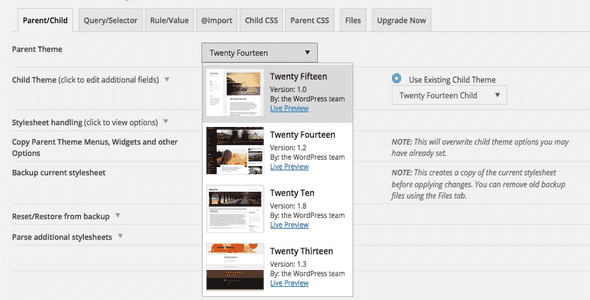
Child Theme Configurator Pro is a premium WordPress plugin built for developers, designers, and site owners who want full control over their site’s appearance — without spending hours wrestling with raw CSS. The free version earned thousands of users on WordPress.org as one of the most popular child theme tools available. The Pro version takes that foundation and extends it far beyond themes, giving you the ability to customize any plugin stylesheet directly from a visual interface.
Whether you’re matching WooCommerce product pages to your brand colors, styling Contact Form 7 to blend with your theme, or building a Genesis child theme from scratch, this plugin gives you a structured, point-and-click workflow that eliminates guesswork and speeds up delivery.
Child Theme Configurator Pro eliminates the frustration of manual CSS editing. Instead of spending hours identifying existing styles and determining the correct overrides, you get a visual, intuitive interface that makes customization fast and predictable. The result is a cohesive, professional-looking site that matches your brand — without requiring deep coding knowledge.
By consolidating theme and plugin customization into one tool, you save valuable development time and can focus on what matters most: growing your business and delivering a great user experience.
Child Theme Configurator Pro is ideal for web designers, freelance developers, agency teams, and WordPress site owners who need to customize multiple plugins and themes across client projects.
Getting started is simple. First, download and install the free Child Theme Configurator plugin from WordPress.org. Then purchase and download the Pro version. In your WordPress admin, navigate to Plugins > Add New, click the Upload link at the top of the page, select the Pro zip file, and click Install. Both plugins must be active — the Pro version extends the community edition. Activate both through the Plugins menu in WordPress and you’re ready to customize.
Child Theme Configurator Pro was built by developers who use it every day, which means the interface is refined, the features are practical, and the tool solves real problems that WordPress customizers face regularly. Unlike manual CSS editing, this plugin gives you a structured, visual approach that reduces errors and speeds up delivery. With automatic update support, comprehensive documentation, and a proven track record among thousands of users, it’s a reliable investment for anyone serious about WordPress design.
Yes. Child Theme Configurator Pro works with any installed WordPress theme, including Genesis. It automatically detects your active theme and generates the child theme structure for you.
Absolutely. That’s the main advantage of the Pro version. You can customize the stylesheet of any plugin — WooCommerce, Contact Form 7, BBPress, and more — to match your theme’s design.
No. The visual interface lets you edit styles without writing code. However, if you’re comfortable with CSS, you can also make manual adjustments directly.
Yes. All customizations are pushed into your child theme’s stylesheet, so they remain intact when the parent theme or plugins are updated.
Enter your license key in the plugin settings, and you’ll receive automatic notifications whenever new Pro features are released.
Child Theme Configurator Pro is the ultimate tool for anyone who wants full design control over their WordPress site — themes and plugins alike. With its intuitive interface, time-saving features, and ongoing developer support, it’s the smartest way to achieve a polished, professional look without the coding headaches. Take your WordPress site to the next level and unlock its full potential today.
Child Theme Configurator Pro gives you a visual CSS editor to customize any WordPress theme or plugin — including WooCommerce, Contact Form 7, and BBPress — without writing a single line of code. Visual CSS editor with live quick-view testing Customize any plugin stylesheet to match your theme Genesis child theme support built in Save and reuse color palettes instantly Automatic update notifications with your license key Video tutorials and documentation included
From multipurpose themes to niche templates