Product Overview
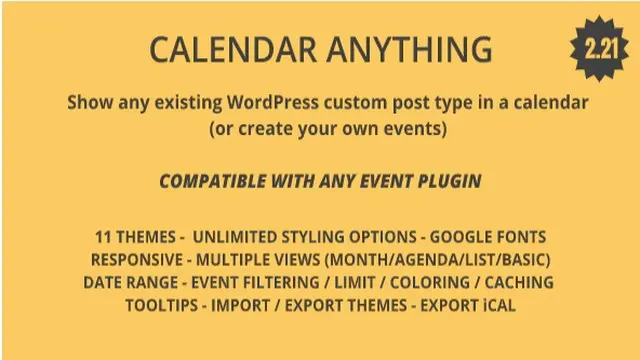
Calendar Anything solves a common WordPress problem: you already manage content with custom post types — events, class schedules, rental availability, tour dates — but displaying that content in a calendar requires either manual entry into a separate events plugin or custom development. This plugin bridges that gap by reading your existing custom post types directly and rendering them in professional, interactive calendars.
Install, select your post types, choose a view, and embed via shortcode or widget. No content migration. No duplicate management. Your calendar stays in sync with your content automatically.
Key Features
- Multiple Calendar Views: Month, Agenda, List, and Basic views — switch per calendar or let responsive breakpoints handle it automatically.
- Any Custom Post Type: Connect events, courses, appointments, listings, webinars, or any registered CPT. Supports multiple post types per calendar.
- Selective or Full Sync: Pull all posts of a type or hand-pick specific entries per calendar.
- Unlimited Calendars: Create as many distinct calendars as needed, each with its own configuration.
- 11 Ready-to-Use Themes: Professional designs work out of the box; customize further without code.
- Deep Styling Control: Backgrounds, borders, margins, fills, typography via Google Fonts library — every visual element is adjustable.
- Date Range Control: Limit visibility to a specific window; navigation outside the range is disabled automatically.
- Custom Date/Time Formats: Match your site’s locale and formatting preferences globally or per calendar.
- Toolbar Customization: Show only the navigation controls your visitors need.
- Event Filtering & Search: Dropdown taxonomy filters and an optional search bar let visitors find relevant entries fast.
- Event Limits: Cap the number of events shown per day to keep dense calendars readable.
- Custom Field Display: Render ACF, Types, or any custom field data in event templates.
- Taxonomy Color Coding: Assign colors to taxonomies; events inherit colors automatically for visual categorization.
- Recurring, All-Day & Multi-Day Events: Full support for complex scheduling patterns.
- Performance Options: Choose AJAX loading for large datasets or pre-render for speed.
- Tooltips: Hover details without leaving the calendar view.
- Full Localization: Dates, times, and UI strings respect WordPress locale; WPML and Polylang certified for multilingual sites.
- Responsive by Default: Views adapt to screen size — different layouts on mobile vs. desktop without extra config.
- Import/Export Themes: Move custom calendar designs between sites instantly.
Benefits
- Zero Content Migration: Keep using your existing CPTs and field groups. Calendar Anything reads, it doesn’t replicate.
- Unified Calendar Management: Merge events from The Events Calendar, Modern Events Calendar, custom CPTs, or any combination into one view.
- Developer-Friendly: Shortcode-based, widget-ready, with clean HTML output for further styling.
- Multilingual Ready: WPML and Polylang compatibility means calendars display in the correct language and pull the correct translated posts.
- Performance Conscious: Caching and AJAX modes handle high-volume calendars without slowing pages.
How It Can Be Used
- Gyms & Studios: Display class schedules (custom post type: “Classes”) alongside trainer availability (“Trainers”) in a single member-facing calendar.
- Schools & Course Providers: Show academic terms, workshop dates, and enrollment deadlines from separate CPTs with color-coded categories.
- Restaurants & Bars: Combine live music events, happy hour schedules, and special menus — each managed by different teams in different CPTs.
- Concert Venues & Theaters: Aggregate touring acts, local shows, and private rentals with taxonomy filters for genre or venue zone.
- Real Estate & Rentals: Show property open houses, availability windows, and auction dates with custom field data (price, beds, agent) in tooltips.
Specifications
- Compatibility: WordPress 5.0+, PHP 7.4+, any theme, any custom post type plugin
- Multilingual: WPML certified, Polylang compatible
- Custom Fields: ACF, Types, Pods, Meta Box, and any plugin using standard WP meta
- Views: Month, Agenda, List, Basic (responsive switching supported)
- Themes: 11 included + unlimited custom via builder
- Loading Modes: AJAX (on-demand) or Pre-rendered (full HTML)
- Caching: Built-in event cache with configurable TTL
- Export/Import: JSON-based theme portability
Why Choose Calendar Anything?
Most calendar plugins force you into their event management system. Calendar Anything respects your existing architecture. If you’ve invested in custom post types, field groups, and taxonomies, this plugin turns that investment into a visual calendar instantly — without duplicating content, retraining editors, or locking you into a proprietary data model.
Frequently Asked Questions
- Does this plugin create its own event post type?
- No. It reads and displays your existing custom post types. You manage content where you already manage it.
- Can I show events from The Events Calendar or Modern Events Calendar?
- Yes. Both plugins register standard custom post types that Calendar Anything can attach and display.
- Is it compatible with WPML and Polylang?
- Yes. Calendar assets (days, months, UI) translate automatically, and each language pulls the correct translated posts.
- How does the responsive behavior work?
- You can set different default views per breakpoint (e.g., Month on desktop, List on mobile) or let the plugin auto-switch.
- Can I style the calendar to match my brand?
- Extensively. 11 starter themes plus controls for colors, fonts, spacing, borders, and fills — all without CSS.
Conclusion
Calendar Anything is the pragmatic choice for WordPress sites that already structure content with custom post types. It adds calendar display without adding content management overhead. Install, connect, customize, publish — your content finally has the calendar view it deserves.