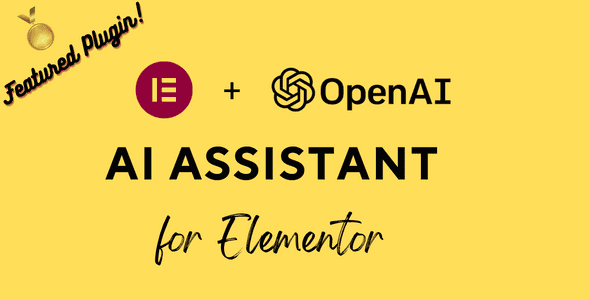
The AI Content Generator for Elementor is a WordPress plugin that brings OpenAI’s advanced content creation capabilities directly into your Elementor page builder. Instead of switching between tools or writing everything manually, you can generate high-quality written content and custom AI images right inside the Elementor editor using familiar native widgets.
Whether you’re building landing pages, blog posts, product pages, or complete websites, this plugin helps you produce engaging content faster while maintaining consistency across your projects. The AI assistant for Elementor is designed to fit seamlessly into your existing workflow, enhancing the widgets you already use rather than replacing them.
Using this Elementor AI assistant means you spend less time writing and more time designing. Content creation becomes faster, more consistent, and easier to customize for different audiences. The plugin is especially valuable for bloggers, marketers, agencies, and business owners who need to publish quality content regularly without hiring additional writers.
Because the AI tools are embedded directly into the widgets you already use, there is no learning curve and no need to copy-paste content between platforms. Everything happens in one place, which reduces friction and keeps your creative momentum going.
After installing and activating the plugin, go to Settings > Elementor AI Assistant in your WordPress admin area and enter your OpenAI API secret key. Once configured, open any page in Elementor and you will see AI-enabled options inside the Text Editor, Title, Image, HTML, and Code Highlight widgets.
Simply drag the widget onto your page, enter your prompt, select your preferences, and let the AI generate content or images instantly. No need to open a separate application or switch tabs.
This plugin stands out because it works within Elementor’s native widgets. You don’t need to learn new tools or change your workflow. The AI content generator is accessible right where you already create your pages, making it a seamless addition to your Elementor setup. Whether you need blog content, landing page copy, custom images, or HTML code, you can generate it all from one familiar interface.
Unlike standalone AI writing tools that require you to copy and paste content back into your editor, this Elementor AI add-on keeps everything in one place. The generated images are automatically stored in your WordPress Media Library, so you can reuse them across your site without extra steps.
Do I need an OpenAI API key to use this plugin?
Yes. You must enter a valid OpenAI secret key in the plugin settings panel before AI features will work.
Does it work with Elementor’s native widgets?
Yes. The plugin enhances native Elementor widgets such as Text Editor, Title, Image, HTML, and Code Highlight, so you do not need to learn new tools.
Can it generate images as well as text?
Yes. The plugin uses OpenAI DALL-E to generate custom images based on your prompt, style, and size selections.
Where are generated images saved?
AI-generated images are automatically stored in your WordPress Media Library.
Is Elementor Pro required?
No. The plugin works with Elementor’s core widgets. The Code Highlight widget is an Elementor Pro feature, but all other AI features work with the free version.
If you want to streamline content creation inside Elementor without sacrificing quality, the AI Content Generator for Elementor gives you a practical, integrated solution. By combining OpenAI GPT text generation with DALL-E image creation inside the widgets you already use every day, it helps you build better pages in less time. Whether you manage a single blog or run a busy agency, this plugin is a smart way to make your Elementor workflow faster and more productive.
Generate AI-powered text, titles, images, HTML, and code directly inside Elementor's native widgets. This WordPress plugin integrates OpenAI GPT and DALL-E into your existing workflow, so you can create unique content without leaving the editor.Generate text, titles, and HTML from custom promptsCreate AI images with DALL-E inside the Image widgetWorks with native Elementor widgets you already usePowered by OpenAI GPT and DALL-E technologySave time while improving content quality
From multipurpose themes to niche templates