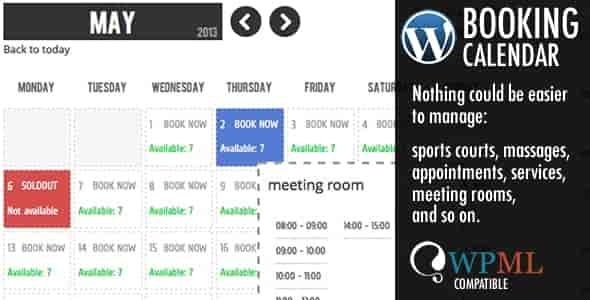
The WP Booking Calendar Plugin is the definitive solution for WordPress users seeking a professional appointment and reservation system without the complexity of custom development. Whether you operate a sports facility, a professional consultancy, or a rental business, this plugin transforms your website into a fully functional booking hub. Designed with a ‘no-code’ philosophy, it empowers you to manage reservations, track availability, and streamline operations efficiently.
By eliminating manual scheduling and reducing the risk of double-bookings, the WP Booking Calendar Plugin allows you to focus on delivering exceptional service while the system handles the intricacies of date management.
Implementing the WP Booking Calendar Plugin offers significant operational advantages. It provides a professional, user-friendly interface for your customers to view real-time availability and make reservations instantly. This ease of use leads to higher conversion rates and improved customer satisfaction. Furthermore, the automated nature of the system reduces the likelihood of human error, ensuring that your schedule remains accurate and up-to-date.
This versatile plugin is adaptable to a wide range of business models:
For business owners who require a reliable scheduling solution without the high cost of custom software development, the WP Booking Calendar Plugin is the ideal choice. It offers a verified, original product with a GPL license, providing long-term value and peace of mind. The inclusion of lifetime manual updates ensures your booking system remains compatible with the latest WordPress versions.
No. The plugin is designed for ease of use, with an administration panel that requires no coding knowledge. You simply need to configure basic settings like your website URL and email.
Yes. The license allows for usage across unlimited domains, making it suitable for agencies and multi-site projects.
Yes, the WP Booking Calendar Plugin is fully compatible with Elementor PRO, allowing for seamless integration into your existing designs.
The system automatically manages date availability. When a reservation is made, the specific time slot is marked as unavailable, preventing conflicting bookings.
The product includes lifetime manual updates, ensuring you have access to the latest features and security patches.
Take control of your scheduling today. Install the WP Booking Calendar Plugin and transform your WordPress site into a professional, automated booking hub. Simplify your operations and enhance your customer experience with a robust scheduling solution.
Add a robust, no-code booking system to your WordPress site in minutes. Manage appointments, create unlimited service calendars, and automate notifications with the WP Booking Calendar Plugin.No Coding Required: Easy setup via a user-friendly admin panel.Unlimited Calendars: Create distinct booking systems for multiple services or locations.Automated Notifications: Send instant email confirmations to customers and admins.Flexible Deadlines: Set specific cutoff times for bookings on any day of the week.Elementor PRO Compatible: Seamlessly integrates with your existing page builder workflow.
From multipurpose themes to niche templates