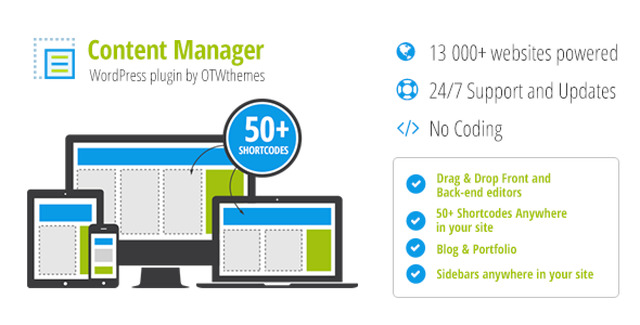
Transform the way you build WordPress pages with our Content Manager Plugin. Designed for users who want professional results without writing a single line of code, this tool provides a powerful yet accessible interface for creating custom responsive layouts. Whether you are a web designer, a business owner, or a content creator, this plugin simplifies the complex process of page structuring.
The plugin operates through an intuitive interface, allowing you to create, edit, and manage layouts directly on the front end of your website. This means you can see exactly how your content will look to visitors in real-time, eliminating the need to constantly toggle between the WordPress admin area and the live site.
Using this Content Manager for WordPress removes the barrier of technical knowledge. You gain the ability to create professional, structured pages without hiring a developer. The front-end editing feature saves time by allowing immediate visual feedback. Furthermore, the ability to save templates ensures consistency across your website, maintaining a cohesive brand look.
Getting started is simple. First, create a new page and navigate to the OTW Grid Manager metabox. From there, you can create a layout by placing your desired content into the grid structure. The plugin handles the responsiveness, ensuring your content looks great on mobile, tablet, and desktop devices.
This plugin offers a unique combination of power and simplicity. While many page builders require expensive subscriptions or complex setups, this tool provides a focused solution for grid-based content management. It is ideal for users who need precise control over their layout structure without the bloat of full-site builders. The unlimited domain license makes it a cost-effective solution for agencies or developers managing multiple projects.
Do I need coding skills to use this plugin?
No, the plugin is designed with a drag-and-drop interface that requires no coding knowledge.
Can I use this on multiple websites?
Yes, the license includes unlimited domain usage.
Is the plugin safe to install?
Absolutely. The files are verified to be 100% clean and free from viruses.
Does it work with Elementor?
Yes, it is compatible with Elementor PRO.
How are updates handled?
Updates are provided for lifetime manual installation.
Take full control of your WordPress content presentation with the Content Manager Plugin. Its responsive design tools, front-end editing capabilities, and user-friendly interface make it an essential addition to your WordPress toolkit. Create stunning, structured layouts today.
Create custom responsive layouts for WordPress without coding. This intuitive Content Manager plugin allows you to drag, drop, and manage page designs with ease.Drag-and-drop responsive layout builder100% virus-free and clean filesUnlimited domain usage licenseFront-end editing capabilityLifetime manual updates included
From multipurpose themes to niche templates