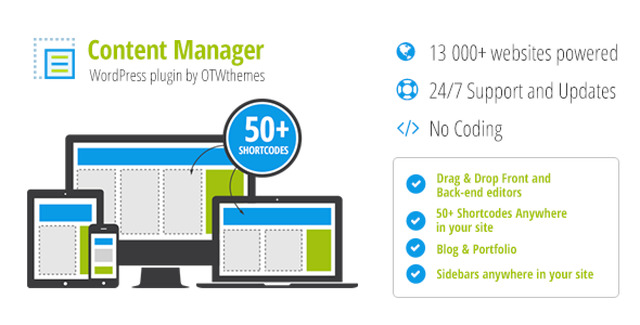
Take full control of your WordPress website with the Content Manager plugin, a powerful tool designed to simplify the creation of custom responsive layouts. Whether you are building a new page or redesigning an existing post, this plugin allows you to fill your layouts with content through a streamlined, user-friendly process. Say goodbye to complex coding requirements and hello to a professional, polished web presence.
The plugin operates through an intuitive interface that empowers users to create, edit, and manage layouts with just a few clicks. By utilizing the OTW Grid Manager metabox, you can construct responsive designs that adapt perfectly to any screen size, ensuring your website looks great on desktops, tablets, and mobile devices.
Using the Content Manager plugin offers significant advantages for website owners and developers alike. The primary benefit is the elimination of coding barriers. You no longer need to hire a developer or learn HTML and CSS to create professional-looking layouts. The intuitive drag-and-drop system ensures that anyone can build complex designs quickly.
Furthermore, the ability to edit content on the front end speeds up your workflow. Instead of navigating through layers of admin menus, you can see your changes in real-time as you make them. This immediate feedback loop enhances creativity and reduces the time spent on site maintenance.
The Content Manager plugin is versatile and can be used for a variety of web design tasks. Here is a simple workflow to get started:
This plugin stands out because it combines power with simplicity. It is built for users who want professional results without the technical headache. With a 100% clean file guarantee and verified originality, you can trust that you are getting a high-quality product. The unlimited domain usage license makes it an excellent choice for agencies and developers managing multiple client sites.
No, the Content Manager plugin is designed to be used without any coding knowledge. Its drag-and-drop interface allows you to create complex layouts easily.
Yes, the plugin is compatible with Elementor PRO, allowing you to integrate it into your existing workflow.
No, the license allows for unlimited domain usage, making it suitable for multiple projects.
Updates are available for lifetime, but they require a manual update process.
Create custom responsive layouts for your WordPress site without writing a single line of code. The Content Manager plugin offers an intuitive drag-and-drop interface, pre-built templates, and front-end editing for seamless content management.No Coding Required: Build complex layouts via an easy-to-use interface.Drag-and-Drop Builder: Rearrange rows, columns, and access codes effortlessly.Front-End Editing: Edit layouts and content directly on your website.Template Library: Save, load, and clone responsive templates.
From multipurpose themes to niche templates