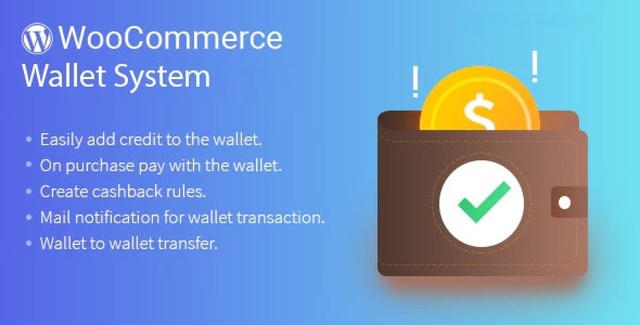
The WooCommerce Wallet System Plugin transforms your store into a prepaid marketplace. Rather than processing a separate card transaction for every order, customers maintain a funded wallet balance they can apply instantly at checkout. This approach reduces payment friction, minimizes checkout drop-offs, and gives store owners a direct mechanism for managing customer balances, rewards, and virtual transactions.
Built specifically for WooCommerce, the plugin integrates directly into the existing checkout flow. Buyers see their available wallet balance and can choose to apply it toward an order or use an alternative payment method. Once applied, the amount is deducted automatically from the prepaid account. Because the wallet is pre-loaded, there is no risk of a declined card interrupting the purchase—provided sufficient balance exists.
Customers add credit to their wallet by entering a desired amount and completing checkout through the available payment methods. Once funded, the balance remains available for future purchases. During checkout, the buyer selects whether to use wallet funds or another gateway. If wallet funds are selected, the order total is deducted immediately from the customer’s balance.
For payments made via direct bank transfer or check, the wallet balance is not credited instantly. The system holds the transaction for administrator approval. Once the admin verifies and approves the payment, the balance is applied to the customer’s wallet. This safeguard ensures that manual and offline payment methods are verified before store credit is released.
The plugin includes a comprehensive cashback system designed to reward customers based on cart behavior. Administrators define the minimum and maximum cart totals that qualify for cashback, along with the exact cashback value awarded when a cart falls within the selected range.
Multiple cashback conditions are supported. If multiple conditions are enabled, customers may receive applicable cashback for both the cart and individual products. If only one condition is selected, the administrator determines whether cashback applies to the cart or to the product, with a preference setting controlling the outcome.
Restrictions can also be enforced. The administrator sets a minimum wallet credit amount, meaning customers must add at least that value to fund their wallet. A maximum wallet debit value can also be configured, limiting how much a customer can spend from their wallet in a single transaction. These controls help store owners manage cash flow and exposure.
Store administrators have full visibility into wallet activity. The transaction list displays every customer transaction with details including transaction ID, reference, transaction type, value, and date. This audit trail supports reconciliation and customer service inquiries.
Administrators can also configure the system to accept payments for virtual orders using the wallet, extending the plugin’s utility beyond physical goods to digital products, services, and virtual inventory. Combined with manual debit and credit capabilities, the admin retains precise control over every wallet balance in the system.
This is an original product delivered with a GPL license, allowing unlimited domain usage. The included version is v3.34.2. Updates are provided manually, giving store owners control over when and how new versions are applied. The files are clean and verified, with no unnecessary bloat or hidden dependencies. For WooCommerce store owners seeking a dedicated wallet and cashback solution, this plugin offers core functionality without over-engineering.
During checkout, the buyer can choose to apply their wallet balance to the order. The amount is deducted immediately from the prepaid account, and the order proceeds without requiring card details for that transaction.
Yes. When a customer pays via direct bank transfer or check, the wallet balance is held until an administrator approves it. Once approved, the credit is applied to the customer’s wallet.
You can set minimum and maximum cart totals, define the cashback value within that range, and choose whether cashback applies to the cart, the product, or both depending on your selected conditions.
Yes. A registered customer can transfer their cashback value to any other registered customer using the wallet transfer feature.
Yes. The administrator can configure settings to accept wallet payments for virtual orders, making it suitable for digital goods and services.
The WooCommerce Wallet System Plugin delivers a focused, practical prepaid payment solution for WooCommerce stores. With flexible checkout options, configurable cashback rules, manual administrative controls, transaction transparency, and wallet-to-wallet transfers, it provides the essential infrastructure for stores that want to offer customers a faster, more convenient way to pay.
Convert your WooCommerce store into a prepaid marketplace with this wallet system plugin. Customers pre-load funds, check out instantly without re-entering card details, and earn configurable cashback rewards.Prepaid wallet payments with instant checkout deductionAdmin-controlled manual credit, debit, and approval workflowsFlexible cashback rules with cart and product conditionsEmail notifications and detailed transaction historyWallet-to-wallet transfers and virtual order supportGPL licensed for unlimited domain usage
From multipurpose themes to niche templates