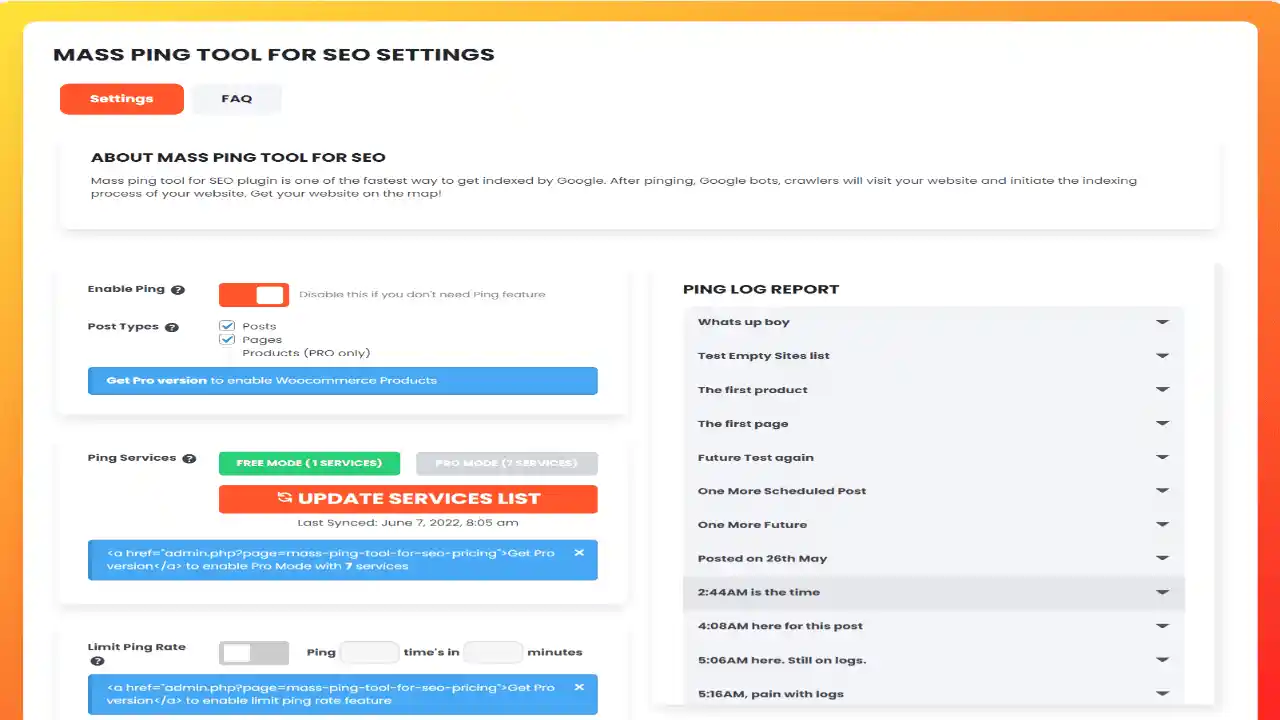
The Mass Ping Tool For SEO PRO is one of the fastest ways to get your WordPress content indexed by Google and other major search engines. A ping is a push notification mechanism that alerts search engines, news feeds, and website directories the moment you publish or update content on your site. This plugin streamlines that process so your pages appear on search engine results pages sooner rather than later.
WordPress comes with a built-in ping service, but it is limited in two important ways. First, it only pings when you publish new posts — not pages, products, or custom post types. Second, it sends pings to just a single service (Pingomatic). The Mass Ping Tool For SEO PRO removes both limitations by pinging every type of content across multiple ping services, giving your entire site maximum visibility in search engines.
When you publish or update content, the plugin checks whether pinging is enabled and then sends notifications to its curated list of search engine and directory services. The ping limiting feature monitors how frequently pings are sent and throttles them if needed, preventing your site from being flagged as a ping spammer. You can also manually trigger a bulk ping using the “Ping Now” button, though this should be used sparingly since it bypasses the automatic limiting controls.
Most WordPress site owners rely on the default ping setting, which only covers posts and uses a single service. If your site includes product pages, custom post types, or frequent content updates, the default option leaves significant indexing opportunities on the table. The Mass Ping Tool For SEO PRO closes that gap with comprehensive, multi-service coverage and smart rate controls — making it a practical, safe choice for anyone serious about search visibility.
Yes. Unlike the default WordPress ping service, this plugin pings all content types including products, pages, and custom post types — not just blog posts.
The plugin includes a built-in ping limiting feature that controls how often pings are sent, helping protect your site from being flagged as a ping spammer by search engines.
No. The ping list is intentionally hidden to prevent overuse and to protect the service sources. The list is updated regularly via API to maintain performance.
Yes. You can add custom ping URLs beyond the default WordPress service and the plugin’s provided ping list.
The Ping Now button manually triggers pings for all posts that require them after being updated. It bypasses the automatic ping limiting feature, so it should be used with caution to avoid excessive pinging.
If you want your WordPress content indexed faster and more comprehensively than the default settings allow, the Mass Ping Tool For SEO PRO gives you the control and coverage you need. With multi-service pinging, automatic rate limiting, and support for all content types, it is a reliable SEO tool for publishers, bloggers, and online store owners alike.
Accelerate your website's indexing with the Mass Ping Tool For SEO PRO WordPress Plugin. Send push notifications to multiple search engines, news feeds, and directories to get your content crawled and indexed faster. Pings all content types — posts, pages, products, and custom post types Uses multiple ping services for broader search engine coverage Built-in ping limiting to prevent spam penalties Regularly updated ping list via API Includes default WordPress ping service plus custom ping URLs
From multipurpose themes to niche templates