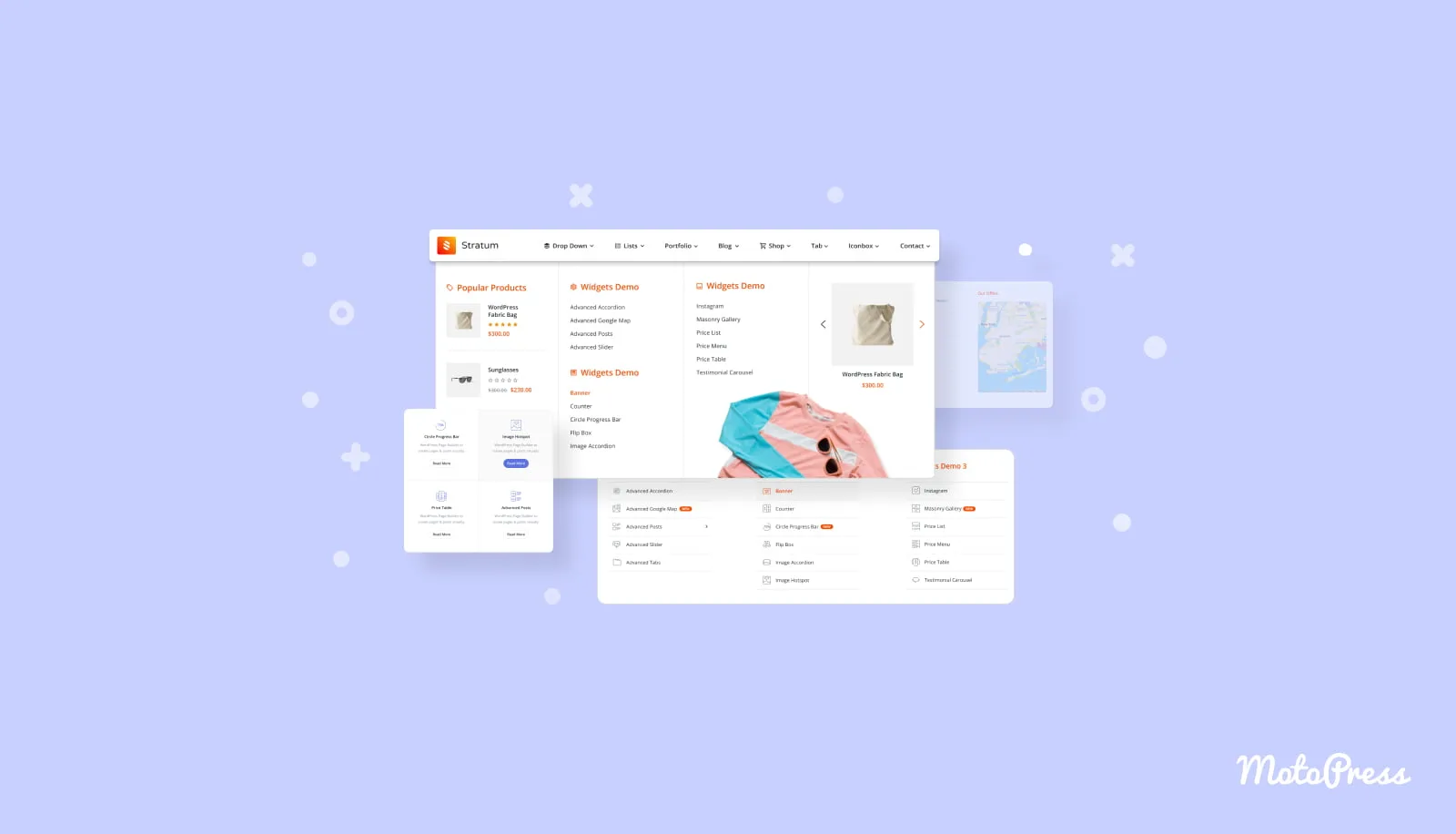
The Stratum Mega Menu for Elementor by MotoPress is a powerful WordPress plugin designed to transform your website’s navigation into a responsive, content-rich mega menu. Whether you’re running an e-commerce store, a news website, or any type of business site, this Elementor add-on gives you the tools to organize and display large amounts of information in an intuitive, visually appealing way.
By leveraging the full power of Elementor, Stratum Mega Menu allows you to incorporate any Elementor widget directly into your submenus, giving you complete creative freedom over your navigation structure without needing to learn a new system.
Stratum Mega Menu solves one of the most common challenges in WordPress site design: organizing complex navigation structures while maintaining a clean, professional appearance. Instead of cramming links into cramped dropdowns, you can create spacious, well-organized mega menus that guide visitors to the content they need.
The integration with Elementor means you can use the widgets and styling tools you already know to build your menus. This makes the plugin accessible to users of all skill levels while still offering the flexibility that advanced designers need.
E-Commerce Websites: Display product categories, best-sellers, and individual items directly in your navigation submenus. Make it easy for shoppers to browse and find products without clicking through multiple pages.
News Websites and Magazines: Structure and highlight categorized news content. Keep your readers engaged by surfacing relevant articles directly from the menu.
Business Websites: Add any custom Elementor widget to submenus to showcase services, team members, testimonials, contact forms, or any other content that helps visitors understand what you offer.
Every section of the mega menu is fully customizable. You can edit the entire menu container, change typography and colors, adjust alignments for both top menus and submenus, customize dropdown icons, apply borders, and create unique badges with custom typography, colors, and backgrounds.
Whether you need a subtle, minimal menu that blends with your design or a bold, attention-grabbing navigation element, Stratum Mega Menu gives you the control to make it happen.
Your mega menu will look and function perfectly on mobile devices. You can adjust the responsive behavior to shrink the menu into a hamburger button on smaller screens, and even customize the icon and its appearance to match your brand.
Enhance the user experience with smooth submenu animations. Apply fade effects, upward movement, right movement, and more to create polished, professional menu interactions that feel natural and responsive.
Does Stratum Mega Menu work with Elementor?
Yes. Stratum Mega Menu is specifically designed as an add-on for Elementor and works seamlessly with it to create mega menus using any Elementor widget.
Can I use custom widgets in my mega menu submenus?
Yes. You can incorporate any Elementor widget into the submenus of your mega menu, including multimedia content, store items, blog posts, image galleries, and more.
Is the menu responsive on mobile devices?
Yes. The menu created with Stratum Mega Menu looks perfect on mobile devices. You can adjust the responsive behavior, including shrinking to a hamburger button and customizing the icon appearance.
What types of websites is Stratum Mega Menu best suited for?
It works well for e-commerce websites, news sites and magazines, and all types of business websites that need to organize and display large amounts of categorized information in their navigation.
Can I customize the styling of my mega menu?
Yes. You have full control over typography, colors, alignments, borders, dropdown icons, and badge styling for every section of the mega menu.
Stratum Mega Menu for Elementor is the ideal solution for WordPress site owners who want to take their navigation to the next level. With its seamless Elementor integration, responsive design, and extensive customization options, you can create mega menus that are both functional and visually striking. Whether you’re managing an online store, a content-rich news site, or a business website, Stratum Mega Menu gives you the tools to make navigation an engaging part of your user experience.
Transform your WordPress navigation with the Stratum Mega Menu for Elementor. This powerful add-on by MotoPress turns standard menus into responsive, content-rich mega menus using any Elementor widget.Display any Elementor widget in submenus — products, blog posts, galleries, and moreFull customization with icons, tags, badges, colors, and typographyChoose horizontal or vertical mega menu layoutsMobile-optimized hamburger menu with customizable responsive behaviorSmooth submenu animation effects for a polished user experience
From multipurpose themes to niche templates