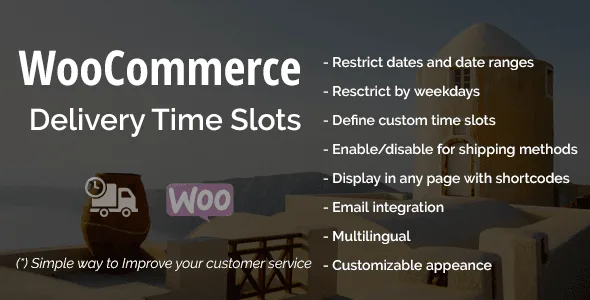
The WooCommerce Delivery Time Slots plugin gives your customers the ability to choose exactly when they want to receive their orders. By adding a delivery date and time picker directly to the WooCommerce checkout page, you provide shoppers with the flexibility to select a delivery window that works best for their schedule.
For store owners, this translates into fewer missed deliveries, lower fulfillment costs, and a more professional shopping experience that keeps customers coming back. The selected delivery information is automatically saved with each order and included in admin email notifications, so your entire team stays informed.
Adding a delivery time slot system to your WooCommerce store transforms your fulfillment workflow. Customers gain control over when their orders arrive, which builds trust and encourages repeat purchases.
From an operational perspective, knowing exactly when customers expect their deliveries helps you optimize delivery routes, allocate staff more efficiently, and dramatically reduce the rate of failed delivery attempts. These improvements translate directly into cost savings and better profit margins.
The date restriction feature also protects your business during holidays, inventory periods, or any time you need to pause shipping without confusing your customers.
The plugin uses powerful pattern matching to control when shipments are available. Here are practical examples of how the date restriction system works:
These patterns give you complete control over your shipping calendar without requiring manual daily updates.
Unlike generic scheduling tools, this plugin is purpose-built for WooCommerce stores. It integrates seamlessly into the checkout flow without disrupting the user experience. The configuration is straightforward enough for non-technical store owners, yet powerful enough to handle complex shipping schedules.
With automatic updates available and ongoing compatibility with the latest WooCommerce versions, this delivery time slots plugin is a reliable long-term solution for your store’s delivery scheduling needs.
Do customers need to create an account to select a delivery time?
No. The delivery time slot selector works for both guest checkout and registered customers.
Can I set different time slots for different days?
Yes. You have full control over which time slots are available and can customize them to suit your business schedule.
Will this work with my existing WooCommerce theme?
The plugin is designed to work with standard WooCommerce themes. The delivery selector integrates into the checkout page without requiring theme modifications.
Can I block specific holidays every year automatically?
Yes. Using the date restriction patterns, you can block specific dates annually without having to update them each year.
Is the plugin compatible with multilingual sites?
Yes. The plugin is 100% compatible with WPML, making it suitable for multilingual WooCommerce stores.
The WooCommerce Delivery Time Slots plugin is an essential tool for any store that wants to professionalize its delivery process. By giving customers control over when they receive their orders, you create a better shopping experience while gaining operational efficiency. Easy to set up, flexible to configure, and built to last with ongoing WooCommerce compatibility updates.
Let your customers choose their preferred delivery date and time directly at checkout with this WooCommerce delivery time slots plugin. Streamline shipping operations, reduce failed deliveries, and improve customer satisfaction with an intuitive scheduling widget.Customers select delivery date and time at checkoutFully customizable time slots matching your business hoursDelivery info visible in admin orders and email notificationsBlock holidays, weekends, and specific date rangesNo coding required for setup and configuration100% WPML compatible for multilingual stores
From multipurpose themes to niche templates