

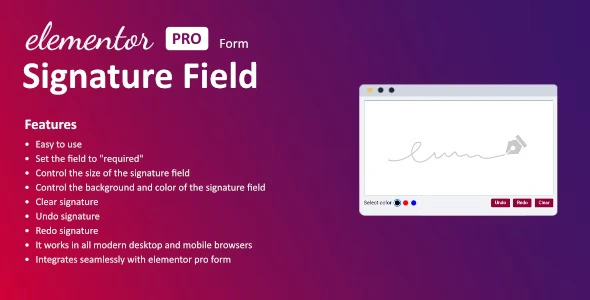
The Signature Field for Elementor is a WordPress plugin designed specifically for Elementor Pro users who need to collect digital signatures directly through their website forms. By adding a signature pad widget to your Elementor Pro forms, you give visitors the ability to draw and submit their signature electronically—eliminating the need for printed documents, physical signatures, and manual follow-up.
Whether you need signed service agreements, patient consent forms, liability waivers, or approval documents, this plugin brings the signing process entirely online. It integrates natively with the Elementor Pro form builder, so there are no external services or complicated workarounds involved.
Collecting signatures electronically through your website streamlines your workflow and removes friction from the client experience. Instead of asking visitors to download a PDF, print it, sign it by hand, scan it, and email it back, they can complete everything in one step right within your Elementor form.
For businesses, this means faster document turnaround, fewer administrative tasks, and a more professional interaction with clients. For visitors, it means a simpler, faster signing process that works from any device—whether they are at their desk or on the go.
This plugin is particularly valuable for service providers, healthcare professionals, event organizers, real estate agents, and any business that regularly collects signed agreements or consent forms.
Setting up the signature field is straightforward. Once the plugin is installed and activated on your WordPress site, the Signature Field widget becomes available in your Elementor Pro form builder. Drag the widget into your form layout, configure the settings such as size and color, and publish your form.
When a visitor fills out your form, they will see the signature field where they can draw their signature directly. After completing the form and submitting it, the signature is captured as part of the form data and delivered to the email address configured in your Elementor Pro notification settings.
This plugin is ideal for Elementor Pro users across a range of industries and use cases:
Unlike solutions that require third-party services or external platforms, the Signature Field for Elementor works entirely within your existing Elementor Pro form setup. There is no additional software to install on your server, no external accounts to manage, and no clunky integrations to troubleshoot.
The widget is built to be fully customizable so it blends seamlessly with your site design, and the user experience is smooth across every device. If you are looking for the most straightforward way to collect digital signatures through your Elementor forms, this plugin delivers exactly that—a simple, reliable, no-code solution.
No. This plugin requires Elementor Pro because it integrates with the Elementor Pro Forms module, which is not available in the free version.
Yes. You can configure the signature field as a required field, which prevents form submission until a valid signature has been drawn.
Yes. The signature pad supports both mouse and touchscreen input, so it works fully on smartphones and tablets across all modern browsers.
Captured signatures are included in the notification email that Elementor Pro sends when a form is submitted. They appear in the email just like any other form field.
Yes. You can adjust the width, height, background color, and border styling to match your website design.
The Signature Field for Elementor is a purpose-built solution for WordPress users who need to collect digital signatures through their Elementor Pro forms. With native integration, full customization, and reliable cross-device performance, it removes the complexity from electronic signature collection and keeps the entire process within your existing workflow.
Add a fully functional digital signature field to your Elementor Pro forms. Let visitors sign contracts, agreements, and consent forms directly on your website—no printing, scanning, or third-party services required.Works natively with Elementor Pro formsSet signature as required or optionalCustomize size, background, and border colorsClear and re-sign functionality for a smooth experienceSignatures sent directly to your notification emailCompatible with desktop, tablet, and mobile browsers
From multipurpose themes to niche templates





