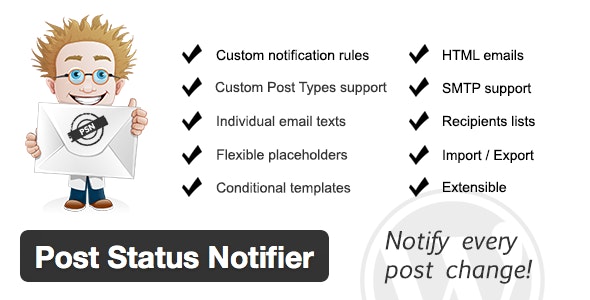
The Post Status Notifier WordPress plugin is designed for collaborative teams that need real-time awareness of post activity across their WordPress site. Instead of manually checking for updates or relying on email chains, this plugin automatically sends targeted notifications whenever a post transitions between statuses — from draft to review, review to published, or any custom status your workflow requires.
Whether you manage a multi-author blog, a content team using custom post types, or a membership site with user-submitted content, Post Status Notifier ensures no update goes unnoticed.
By automating post status notifications, your team eliminates the guesswork and delays that come with manual coordination. Editors no longer need to ping contributors to ask if a draft is ready. Collaborators stop wondering whether their submitted work has been reviewed or published. Instead, everyone receives timely, accurate updates the moment a status changes — reducing miscommunication, speeding up review cycles, and keeping content workflows moving smoothly.
Post Status Notifier is versatile enough for a wide range of publishing scenarios:
Most WordPress notification plugins offer only basic email alerts with limited customization. Post Status Notifier stands out by combining deep integration with custom post types and taxonomies, a flexible placeholder system, and an extensible module architecture — all in one package. It is built for teams that need more than a simple “post published” alert, offering the granularity and control required for professional content operations.
Yes. The plugin is fully compatible with all custom post types registered on your WordPress site, not just standard posts and pages.
Absolutely. You can use any taxonomy value or custom field attached to a post as a placeholder in your notification templates, giving you complete control over the content of your alerts.
Post Status Notifier has been tested and confirmed to work with several popular plugins, including WP Job Manager, Calendarize.It, Crowdfunding by Astoundify, WP User Frontend, Advanced Custom Fields, Buffer, and Frontend Publishing Pro. Its extensible design also makes it compatible with many more.
Yes. You can configure custom FROM, CC, and BCC email addresses for each notification rule, ensuring your alerts appear professional and reach the right recipients.
The plugin is extensible, meaning you can create custom modules to implement additional notification services beyond standard WordPress email.
If your WordPress workflow involves multiple contributors, custom post types, or user-submitted content, the Post Status Notifier plugin is an essential tool for keeping everyone informed. With its powerful placeholder system, conditional templates, and broad compatibility, it adapts to your unique publishing process — not the other way around. Take control of your team’s notifications and streamline your content workflow today.
The Post Status Notifier WordPress plugin keeps your team in sync with instant email alerts whenever post statuses change. Whether a collaborator submits a draft for review or an editor publishes a post, everyone gets notified automatically.Works with all custom post types and taxonomiesCustom placeholders and conditional template syntaxConfigurable FROM, CC, and BCC email settingsExtensible with custom notification modulesIntegrates with WP Job Manager, ACF, Calendarize.It, and more
From multipurpose themes to niche templates