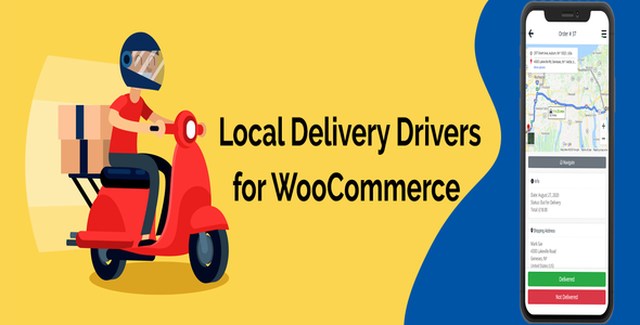
Local Delivery Drivers for WooCommerce is a premium WordPress plugin designed to simplify and streamline your local delivery operations. Whether you run a neighborhood bakery, a grocery delivery service, or a growing e-commerce store, managing deliveries manually can quickly become overwhelming. This plugin centralizes your entire delivery workflow into one intuitive dashboard, giving you the tools to assign drivers, plan efficient routes, and keep every order on track.
Unlike generic delivery plugins, this solution is built specifically for WooCommerce store owners who need reliable driver management without the complexity of enterprise logistics software. From automatic assignment to mobile-optimized driver dashboards, every feature is designed to save time, reduce errors, and improve the customer delivery experience.
This WooCommerce delivery driver plugin offers flexible assignment methods to match your business workflow. Automatic assignment uses two intelligent methods: the first distributes orders evenly based on how many orders each driver already has, ensuring a balanced workload across your team. The second method considers geographic proximity, grouping orders by zip code, city, state, or country while factoring in the number of orders per driver.
For high-volume days, bulk assignment lets you assign drivers to multiple orders simultaneously from the administration panel. If you prefer hands-on control, manual assignment allows you to assign a specific driver to any order. Additionally, the driver claiming feature enables your delivery team to proactively pick up available orders from their mobile dashboard.
The driver dashboard is built for mobile devices, providing an app-like experience without requiring a separate mobile application download. From their phones, drivers can:
This plugin is ideal for WooCommerce store owners who handle local deliveries and need a reliable way to manage their delivery team. Whether you deliver food, groceries, retail products, or any other goods locally, this plugin helps you organize your delivery workflow and keep your drivers and customers informed at every step.
Can delivery drivers be assigned automatically?
Yes. The plugin supports automatic assignment using two methods: evenly based on the number of orders each driver receives, or by geographic location (zip code, city, state, country) combined with order count per driver.
Can drivers claim their own orders?
Yes. Delivery drivers can claim available orders directly from their mobile-optimized dashboard.
Is the driver dashboard mobile-friendly?
Yes. The driver dashboard is optimized for mobile devices and provides an app-like experience for managing deliveries on the go.
How does route planning work?
Drivers can plan their delivery routes and navigate to each destination directly from the dashboard. Administrators can also view the duration and distance of all driver routes on an interactive map.
Can I assign multiple drivers at once?
Yes. The bulk assignment feature lets you assign drivers to multiple orders simultaneously from the administration panel.
Take control of your local delivery operations with Local Delivery Drivers for WooCommerce. From automatic driver assignment and route planning to a mobile-optimized driver dashboard, this plugin gives you the tools to deliver faster, smarter, and more efficiently. Stop juggling logistics manually and start growing your store with a delivery management solution built for WooCommerce.
Manage local deliveries efficiently with this WooCommerce delivery driver plugin. Assign drivers automatically, plan optimal routes, and track deliveries from a mobile-optimized dashboard. Automatic driver assignment by location or order volume Mobile-friendly driver dashboard with order claiming Route planning, navigation, and real-time map tracking Bulk and manual driver assignment from admin panel One-tap customer calling and delivery status updates
From multipurpose themes to niche templates