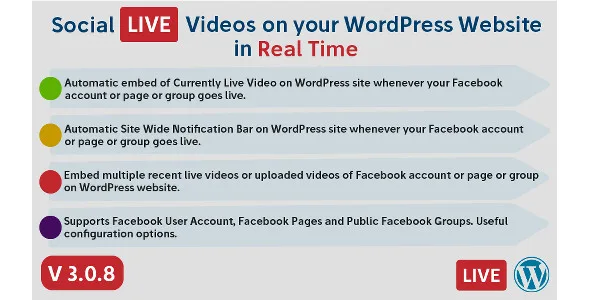
Social Live Video Auto Embed is a WordPress plugin designed to automatically embed live videos from your Facebook account, Page, or public Group directly onto your WordPress website. Whenever your Facebook profile, Page, or Group goes live, the plugin detects the live stream and embeds the video automatically wherever you have placed the embed shortcode. This eliminates the need to manually update your site every time you start a broadcast, ensuring your audience never misses a moment.
Beyond live streams, the plugin also supports embedding previously recorded live videos and standard uploaded videos from your Facebook account, Page, or Group. Combined with a customizable site-wide notification bar, you can keep your website visitors informed and engaged whether or not they follow you on Facebook.
Save time with automation. Instead of manually copying and pasting embed codes every time you go live on Facebook, the plugin handles detection and embedding for you. Your website stays current without constant updates.
Reach a wider audience. Not every visitor to your website follows you on Facebook. By embedding your live videos directly on your site, you make your content accessible to people who might otherwise never see it.
Boost engagement with notifications. The site-wide notification bar alerts visitors the moment you go live, encouraging them to watch and interact with your broadcast in real time.
Reduce server load. Built-in caching for recorded and uploaded videos minimizes API requests, helping keep your website running smoothly even with frequent video updates.
Flexible content management. Whether you need one embed code on your homepage or multiple codes across several pages, the plugin adapts to your content strategy.
This plugin is ideal for WordPress site owners who regularly stream live content on Facebook and want to extend that reach to their website visitors. It works with personal Facebook accounts used for content creation, Facebook Pages owned by businesses or creators, and public Facebook Groups that you administer.
Common use cases include live Q&A sessions, product launches, behind-the-scenes content, event coverage, tutorials, and any real-time video broadcast that benefits from being embedded on a WordPress website.
Social Live Video Auto Embed streamlines the process of sharing Facebook live video content on WordPress. Rather than manually updating your site each time you go live, the plugin automates detection and embedding. The combination of flexible shortcodes, a customizable notification bar, responsive design, and built-in caching makes it a practical solution for content creators, businesses, and community managers who want their Facebook live content to perform better on their own website.
Yes. The plugin works with your personal Facebook account, Facebook Pages you own, and public Facebook Groups you administer.
Yes. You can embed previously recorded live videos and standard uploaded videos from your Facebook account, Page, or Group using the same shortcode system.
No. The notification bar is AJAX-based, so it appears automatically when a visitor opens a page without needing to refresh.
Yes. The video player is responsive from the start and adapts to desktop, tablet, and mobile screens. Note that the full Facebook post display, including description and like, comment, and share buttons, is only available on desktop, as Facebook has disabled this feature on mobile devices.
Yes. You can use the same embed code in multiple locations across your site, and you can also place multiple different embed codes within a single WordPress post or page.
If you stream live video content on Facebook and want to bring that audience to your WordPress website, Social Live Video Auto Embed gives you the automation and flexibility to do it seamlessly. Set up your embed codes, configure your notification bar, and let the plugin handle the rest.
Seamlessly embed Facebook live videos on your WordPress website with automatic detection. Whether you're streaming from a personal account, a Facebook Page, or a public Group, this plugin auto-embeds your live content and keeps visitors engaged in real time.Auto-detect and embed Facebook live videos from accounts, Pages, or GroupsEmbed previously recorded live videos and uploaded videosDisplay a customizable, AJAX-powered site-wide notification bar when you go liveUse WordPress shortcodes anywhere in posts, pages, or contentFully responsive video player with customizable width
From multipurpose themes to niche templates