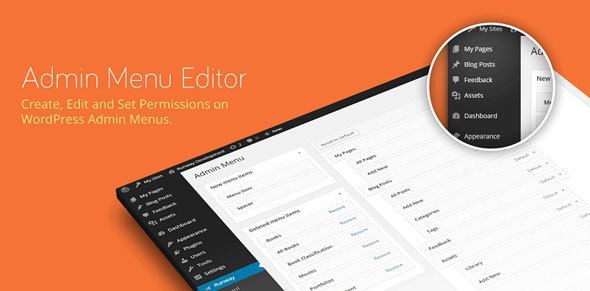
banner

Admin Menu Editor Pro + Addons – WordPress Admin Customization Plugin

img

Product Overview

Admin Menu Editor Pro is a premium WordPress plugin that gives developers, agencies, and site owners complete control over the WordPress administration interface. Whether you’re building sites for clients, managing a multi-author blog, or running a membership platform, this plugin lets you tailor the admin experience—simplifying workflows, protecting sensitive areas, and reinforcing your brand.

The core plugin handles menu structure, visibility, and permissions. Two included addons—Branding and Toolbar Editor—extend customization to the login screen, admin color schemes, and the front-end admin bar.

Key Features

  • Granular Menu Permissions – Show or hide any menu item for specific roles or individual users. Grant a contributor access to a single plugin page without elevating their role.
  • Drag-and-Drop Organization – Reorder top-level menus, move items between submenus, promote frequently used links to the top level, and fix misplaced plugin pages.
  • 600+ Menu Icons – Choose from Dashicons and FontAwesome libraries, upload custom PNG/GIF icons via the Media Library, or reference external icon URLs. Icons apply to both top-level and submenu items.
  • Custom Color Schemes – Adjust background, text, icon, and highlight colors globally or per menu item for visual hierarchy and brand alignment.
  • Custom Menu Items – Add external links, embed post/page content directly in the admin, or create non-clickable section headers for complex menus.
  • Flexible Link Targets – Open menu links in a new tab or a borderless iframe—ideal for integrating external tutorials or services seamlessly.
  • Import/Export Configuration – Save menu setups as files and deploy them across multiple sites in seconds.
  • Plugin Visibility Control – Hide individual plugins from the Plugins page for all users, specific roles, or selected accounts.
  • Branding Addon – Replace the WordPress logo, customize the login page, change admin color schemes, hide version/update notices, and white-label the backend.
  • Toolbar Editor Addon – Hide, reorder, rename, or add links to the WordPress admin bar (toolbar) with the same drag-and-drop interface.

Benefits

  • Client-Friendly Admin – Remove clutter and confusion; present only what each user needs.
  • Security Through Obscurity – Hide sensitive menus (Users, Plugins, Settings) from roles that don’t require them.
  • Faster Workflows – Promote high-frequency actions (“Add New Post,” specific plugin pages) to top-level access.
  • Consistent Branding – Deliver a cohesive, professional backend that matches your agency or client identity.
  • Portable Configurations – Replicate polished admin setups across new projects without manual reconfiguration.

How It Can Be Used

  • Agencies delivering white-labeled WordPress sites to clients
  • Membership sites restricting backend access by subscription tier
  • Multi-author publications streamlining the editorial workflow
  • Developers cleaning up plugin-heavy admin areas
  • Managed WordPress hosts providing curated admin experiences

Why Choose This Product?

Admin Menu Editor Pro combines depth and usability. The permission system works at both role and user level without requiring custom code. The drag-and-drop interface mirrors native WordPress interactions, so there’s no learning curve. With the Branding and Toolbar Editor addons included, you get a complete admin customization toolkit in a single purchase—no recurring subscriptions, no upsells for core functionality.

Frequently Asked Questions

Does this plugin work with Gutenberg and the Site Editor?

Yes. Admin Menu Editor Pro manages the classic wp-admin menu structure, which remains the primary navigation for plugins, settings, users, and most site-management tasks regardless of the frontend editor in use.

Can I restrict menu access for a single user without changing their role?

Yes. The plugin supports per-user permission overrides in addition to role-based rules.

Are the Branding and Toolbar Editor addons separate purchases?

No. Both addons are included with Admin Menu Editor Pro at no extra cost.

Will menu changes survive plugin or WordPress updates?

Yes. All configurations are stored in the database and persist through updates. The import/export feature also lets you back up your setup.

Is multisite supported?

The plugin works on multisite networks; menu configurations can be managed per site or network-activated with consistent settings.

Conclusion

Admin Menu Editor Pro + Addons delivers professional-grade WordPress admin customization without complexity. From simplifying client handovers to locking down sensitive areas on membership sites, it gives you the control WordPress core doesn’t—packaged in an interface you already know how to use.

Take full control of your WordPress admin area with Admin Menu Editor Pro. Organize menus with drag-and-drop, manage permissions by role or user, hide sensitive items, and brand the backend for clients.Drag-and-drop menu reordering and restructuringRole- and user-level permission controls600+ built-in icons plus custom uploadsCustom menu colors and branding addonToolbar Editor addon for admin bar customizationImport/export settings across sites