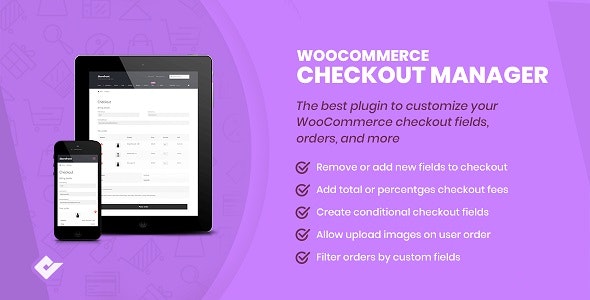
Checkout Manager Pro for WooCommerce is a powerful plugin that puts you in complete control of your checkout page. Whether you need to collect additional customer information, remove unnecessary fields, or apply surcharges for specific options, this tool makes the entire process simple and intuitive. By tailoring the checkout experience to match your business needs, you can reduce friction, lower cart abandonment, and increase conversion rates.
The plugin integrates seamlessly into your WooCommerce store and gives you granular control over every field on the checkout form — all without requiring any coding knowledge.
An optimized checkout page is one of the most impactful levers for improving e-commerce performance. Checkout Manager Pro helps you achieve this by letting you eliminate unnecessary steps, collect relevant data, and adjust pricing dynamically at checkout. The result is a smoother customer journey that translates into higher sales and fewer abandoned carts.
Conditional fields ensure customers only see what they need, reducing cognitive load and decision fatigue. Fee integration lets you pass on additional costs transparently — whether for shipping upgrades, gift wrapping, or other add-ons — without confusing shoppers.
Checkout Manager Pro works across a wide range of scenarios. Use it to collect company tax IDs for B2B stores, add gift message fields for retail shops, require age verification for certain products, or offer delivery surcharges based on customer selections. The flexibility of the plugin means it adapts to your workflow, not the other way around.
Whether you run a small online boutique or a large multi-product store, the plugin scales with your needs. You can start with simple field additions and gradually implement more advanced conditional logic and fee structures as your checkout requirements evolve.
Checkout Manager Pro stands out as a comprehensive solution for anyone looking to refine their WooCommerce checkout experience. It combines field management, conditional logic, and fee calculation in a single, easy-to-use plugin. No other tool in this category offers this level of customization without demanding technical expertise.
The intuitive interface means you can make changes quickly and see results immediately. There is no need to hire a developer or write custom code to get your checkout page the way you want it.
Yes. Checkout Manager Pro lets you add custom fields to the billing, shipping, and additional fields sections on the checkout page.
Absolutely. You can add fixed or percentage-based fees to individual fields, option selections, radio buttons, and multi-select checkboxes.
Yes. You can set up conditional logic so that fields appear or disappear based on the value chosen in a parent field.
No. The plugin is designed to be user-friendly and works through an intuitive interface without any programming knowledge.
Yes. You can modify the type, label, placeholder, CSS class, and default value of existing billing and shipping fields.
Taking control of your checkout page is one of the smartest moves you can make to improve your WooCommerce store’s performance. Checkout Manager Pro for WooCommerce by Quadlayers gives you the tools to customize, streamline, and optimize every aspect of the checkout experience. Add the fields you need, remove the ones you don’t, apply fees where necessary, and use conditional logic to keep things simple for your customers. Start boosting your conversion rates today.
Take full control of your WooCommerce checkout page with Checkout Manager Pro. Add, edit, and remove fields, apply fees, and use conditional logic to create a streamlined checkout that reduces cart abandonment and boosts conversions.Add custom fields to billing, shipping, and additional sectionsEdit existing checkout fields with custom labels, placeholders, and CSS classesApply fixed or percentage-based fees to fields and optionsSet up conditional logic to show or hide fields based on customer selectionsNo coding required – intuitive interface