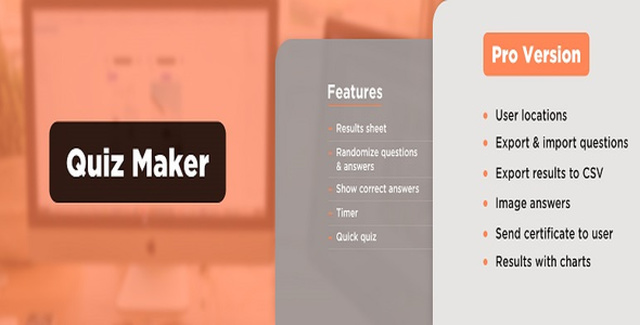
The WordPress Quiz Maker Plugin is a powerful yet straightforward tool that lets you create interactive quizzes, exams, and questionnaires on your WordPress site. Whether you’re an educator testing knowledge, a marketer gathering feedback, or a blogger looking to boost engagement, this plugin gives you everything you need to build professional quizzes in minutes.
With a clean, intuitive interface, you can create questions, organize them into categories, and assemble them into quizzes without any coding knowledge. Insert your quiz anywhere on your site using a simple shortcode.
Quizzes are one of the most effective ways to increase time-on-site, collect audience insights, and make your content more interactive. This plugin removes the technical barriers so you can focus on creating meaningful quiz experiences. Users enjoy the interactive format, and you gain valuable engagement data—all from a single WordPress installation.
Creating a quiz takes just a few steps. First, add your questions through the dedicated Questions page. Then, navigate to the Questionnaires page to build your quiz and assign the questions you’ve created. That’s it. Copy the generated shortcode and paste it into any page, post, or widget where you want the quiz to appear.
The questionnaire settings panel gives you additional control over how the quiz behaves, including randomization options and question bank configuration.
The WordPress Quiz Maker Plugin stands out for its simplicity and flexibility. You get a full-featured quiz builder without complexity. The variety of question types covers most use cases, from simple knowledge checks to more detailed assessments. The randomization and question bank features add depth for educators and marketers who want to keep results varied and reliable. And with straightforward shortcode embedding, there’s no need for custom development or third-party integrations.
Can I create more than one quiz?
Yes. The plugin allows you to create an unlimited number of quizzes, each with unlimited questions.
What question types are supported?
The plugin supports five question types: radio (single correct answer), checkbox (multiple correct answers), dropdown (single answer in a compact format), text input, and number input.
How do I add a quiz to my website?
After creating your quiz, copy the shortcode [ays_quiz id=’quiz_id’] and paste it into any page, post, or text widget where you want the quiz to appear.
Can I randomize quiz questions?
Yes. You can randomize both the order of questions and the order of responses. You can also use the question bank feature to randomly select a subset of questions from a larger pool.
Is this plugin easy to use for beginners?
Absolutely. The plugin is designed with a user-friendly interface that makes it simple to create, configure, and publish quizzes without any technical expertise.
Create engaging online quizzes in minutes with the WordPress Quiz Maker Plugin. Build custom quizzes with multiple question types, randomize questions, and boost user interaction on your website.Create unlimited quizzes with unlimited questionsFive question types: radio, checkbox, dropdown, text, and numberRandomize questions and responses for varietyQuestion bank feature for automated quiz selectionEasy shortcode insertion into pages, posts, or widgetsUser-friendly interface for quick setup